Thesis/Dissertation: Samuel Macko: Risk Assessment Model for Open Source Software Projects in GitHub
Master's thesis
Risk Assessment Model for Open Source Software Projects in GitHub
Abstract
V súčasnosti čoraz viac technológií závisí od open-source projektov. Je čoraz dôležitejšie posúdiť úroveň budúceho vývoja takýchto závislostí. Cieľom tejto práce je vyvinúť model strojového učenia na odhadnutie toho, aká je šanca, že sa repozitár bude aktívne rozvíjať aj v budúcnosti. Vyvinul som sadu nástrojov použitých na zostavenie datasetu použitého na trénovanie a testovanie modelov strojového …more
Abstract
Today, more and more technologies depend on open-source projects. It is increasingly important to assess the level of future development of such dependencies. Goal of this thesis is to develop a machine learning model to estimate how likely it is for a repository to continue being actively developed in the future. I developed a set of tools used for compiling a dataset used for training and testing …more
Thesis description
17/12/2021 19:47, RNDr. Josef Spurný, Ph.D., UČO 274152
Attachments
 English
Theses on a related topic
List of theses with an identical keyword.
-
Risk Assessment Model for Open Source Software Projects in GitHub
Mgr. Samuel Macko -
Chemometry in plasma spectrometry
Mgr. Veronika Faltusová, Ph.D. -
Selected botnet detection techniques using flow data
Mgr. Tanay Bhattacharya -
Machine learning methods for classification
Mgr. Tomáš Pompa, UČO 500225 -
Machine learning methods for MRI brain images analysis
Bc. Martin Poledník, UČO 268920 -
Toolbox for Brain Image Recognition Using Artificial Neural Networks
RNDr. Roman Vyškovský, Ph.D. -
Labeling of Android malware with help of cryptographic API usage
Mgr. Dominik Macko -
Machine-learning based recognition of individuals by their keyboard-typing
Mgr. Jan Dušek
Folders
Files
-
Přidání souboru
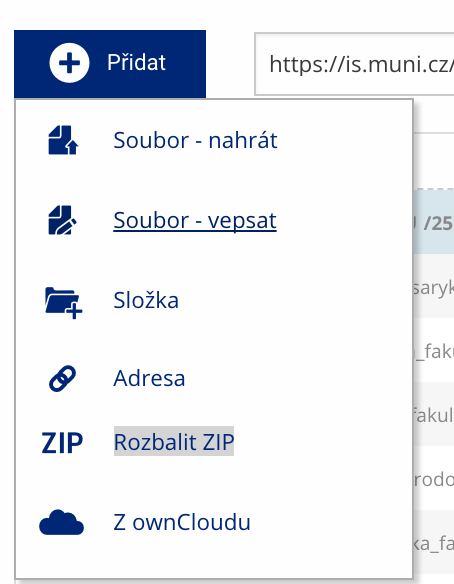 Soubor nebo složku lze nahrát pomocí tlačítka Přidat.
 -
Další operace se soubory
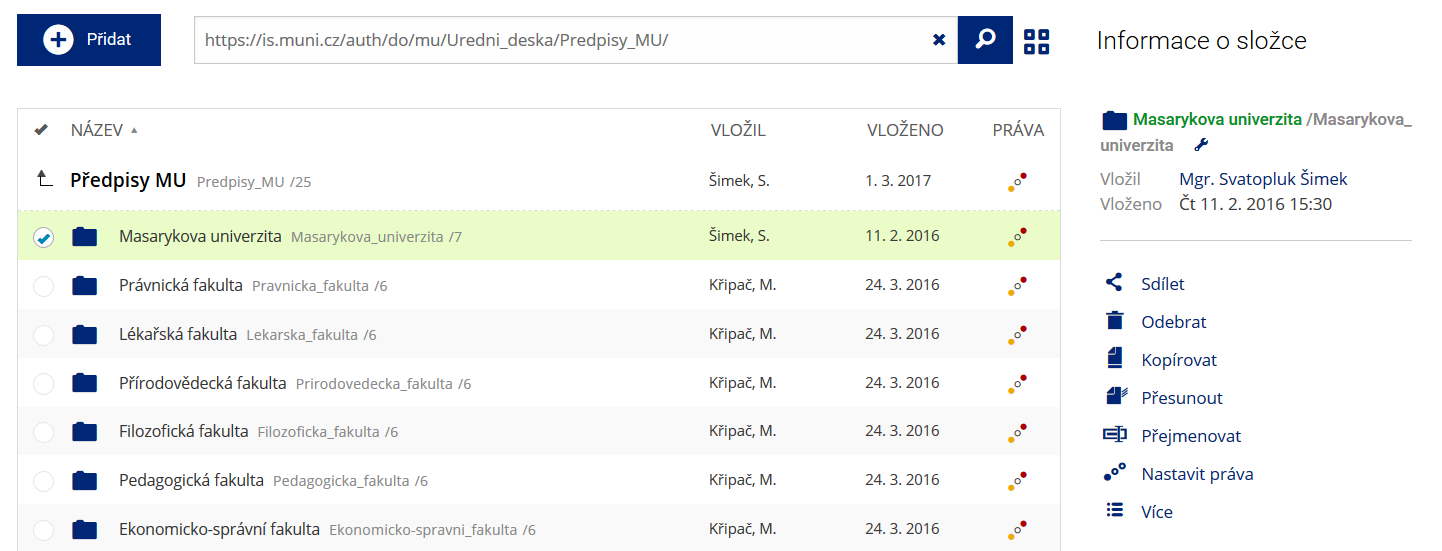 Podrobnosti lze zjistit označením příslušného řádku.
 -
Pohled pro experty
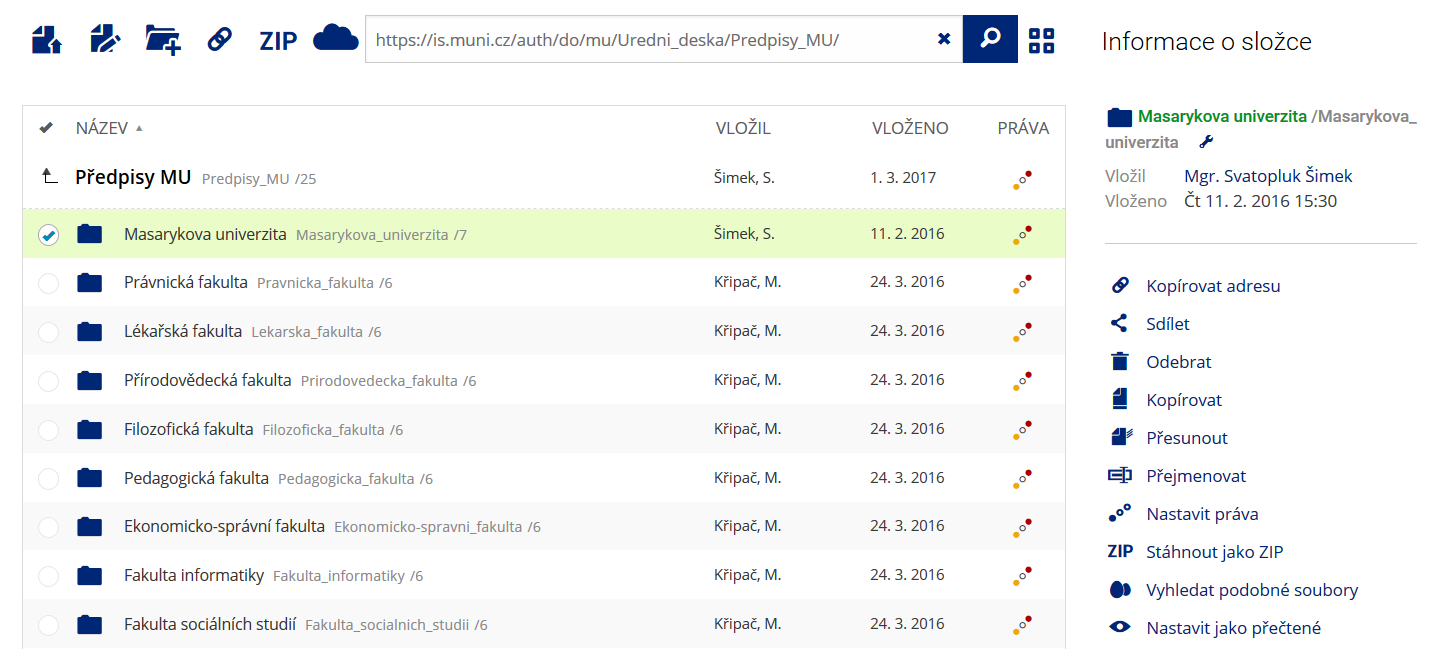 Pro častou práci je možné zvolit režim Více možností.
 -
Vyhledávání souborů
 Vyhledávaný výraz můžete zadat přímo do adresního řádku.
 -
Rychlý přístup k souborům
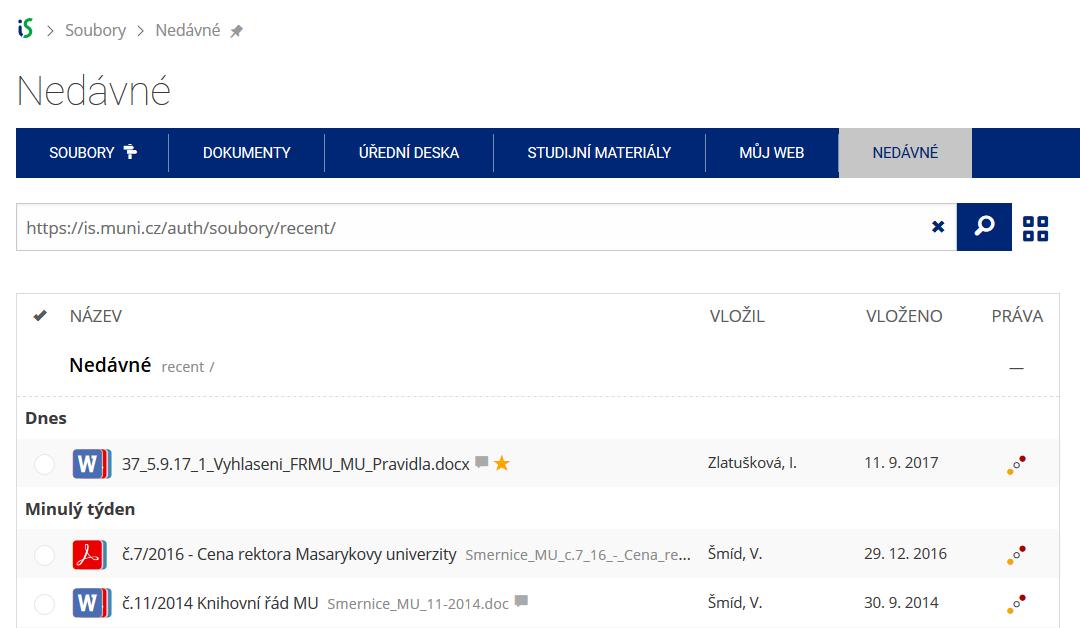 Pomocí funkce Nedávné je možné se rychle vrátit k právě prohlíženým souborům. Oblíbené soubory je také možné označit Hvězdičkou.