Závěrečná práce: Bc. Filip Zachar: Mobile applications for EvMan
Diplomová práce
Mobile applications for EvMan
Anotace
EvMan je softvér na správu udalostí, ktorý ponúka bohaté užívateľské rozhranie vo forme webovej aplikácie. Užívatelia, ktorí pracujú s EvMan-om na mobilných zariadeniach by mohli mať vhodnejší zážitok pri práci so systémom, keby bolo uživateľské rozhranie viacej priblížené platforme, ktorú používajú. Táto práca analyzuje softvér EvMan a jeho funkcie, diskutuje o rôznych technológiach použiteľných na …více
Abstract
EvMan is an event management software that offers a rich user interface through the web. Users that work with EvMan on mobile devices could have more convenient user experience if the interface were more platform agnostic. This thesis analyzes EvMan and its features, discuss the technologies eligible for the implementation, and eventually designs and creates a mobile application that connects to the existing system.
Zadání práce
The first milestone is to analyze the EvMan information system and build a list of requirements for the mobile application.
The second milestone is to design and build API that will be used for communication between the mobile application and the EvMan information system.
The third milestone is to choose the most appropriate tool for building cross-platform mobile applications.
The fourth milestone is to design and implement mobile application.
Application will be published as open source.
12. 12. 2018 17:09, RNDr. Adam Rambousek, Ph.D., učo 60380
- Zadáno/změněno 31. 1. 2019 16:01, Helena Kryštofová
- Záznam založen 14. 11. 2018 10:16, Jana Zemanová, učo 9619
- Zveřejnit od 12. 12. 2018 10:52, Eva Drštková
- Práce převzata 12. 12. 2018 10:52, Eva Drštková
 angličtina
Konzultant
Práce na příbuzné téma
Seznam prací, které mají shodná klíčová slova.
-
Warehouse management
Ing. Denis Kollár -
HOBIT mobile app
Mgr. Trung Ngoc Dao -
Srovnání vývoje multiplatformních mobilních aplikací
Mgr. Michal Zopp -
Cross-platform mobile application for farmers
Ing. Tamás Sándor -
Comparison of Technologies for Multiplatform Mobile Applications Development
Mgr. Jan Crha -
Analýza a použitie platformy Expo na vývoj natívnych mobilných aplikácií
Bc. Filip Toma -
Mobile Application Supporting Non-Violent Communication
Mgr. Matúš Kropuch, učo 456243 -
Nástroje integrace služeb Web 2.0
Mgr. Martin Kotlík, učo 143208
Složky
Soubory
-
Přidání souboru
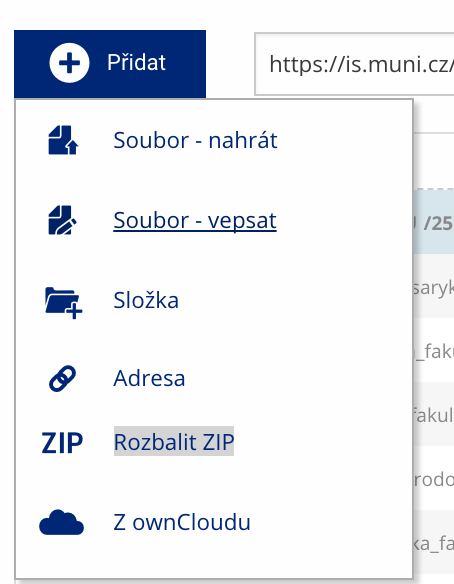 Soubor nebo složku lze nahrát pomocí tlačítka Přidat.
 -
Další operace se soubory
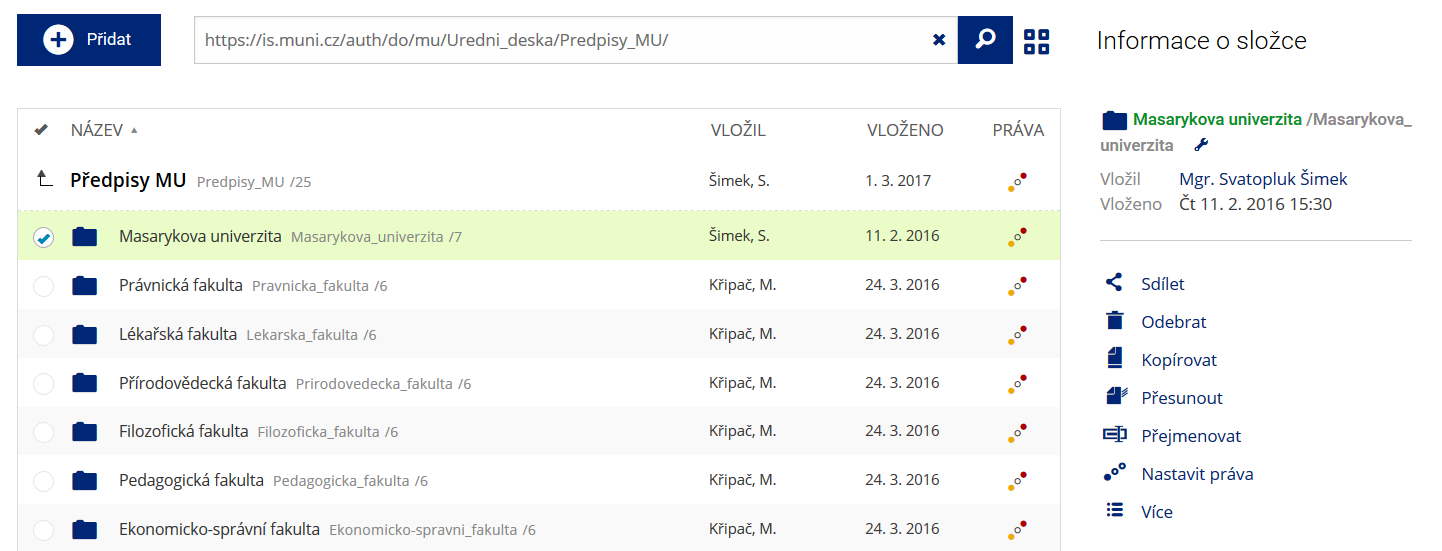 Podrobnosti lze zjistit označením příslušného řádku.
 -
Pohled pro experty
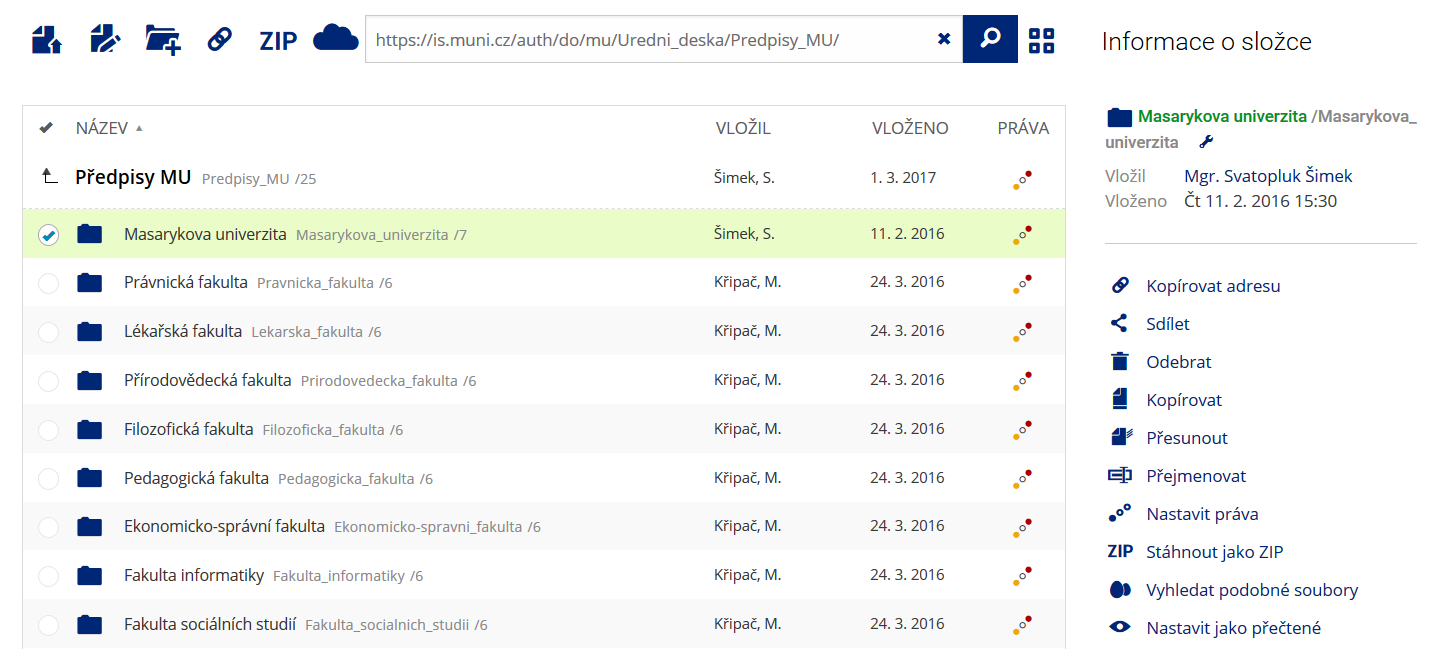 Pro častou práci je možné zvolit režim Více možností.
 -
Vyhledávání souborů
 Vyhledávaný výraz můžete zadat přímo do adresního řádku.
 -
Rychlý přístup k souborům
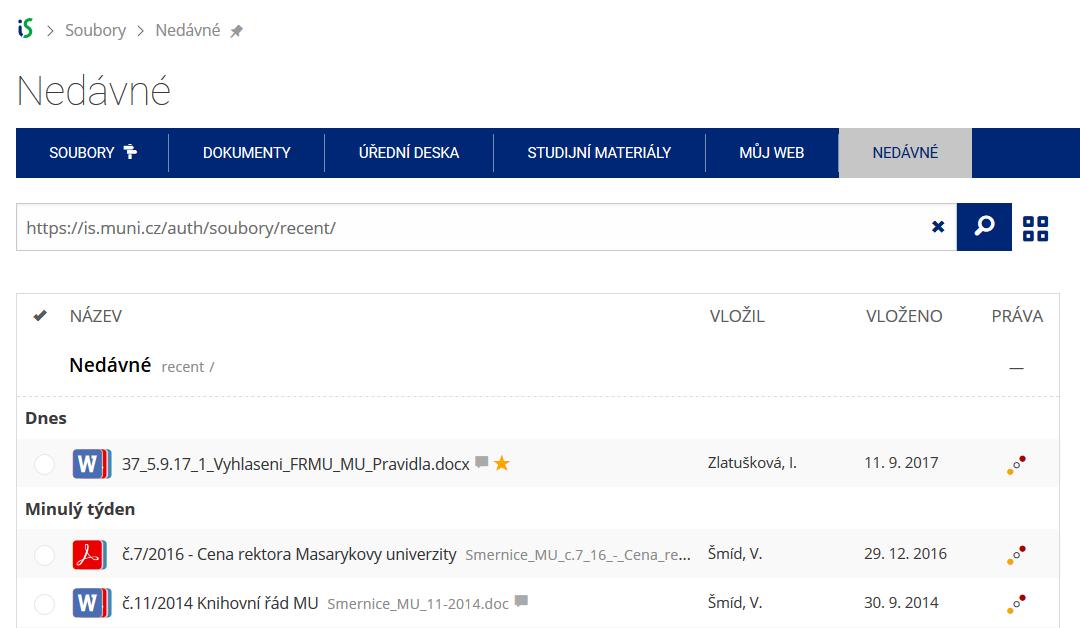 Pomocí funkce Nedávné je možné se rychle vrátit k právě prohlíženým souborům. Oblíbené soubory je také možné označit Hvězdičkou.