Závěrečná práce: Bc. Šimon Obetko: Automated Infrastructure Deployment on Public and Private Cloud as a Part of Continuous Integration Process
Diplomová práce
Automated Infrastructure Deployment on Public and Private Cloud as a Part of Continuous Integration Process
Anotace
Práca sa zameriava na automatizované vytváranie virtuálnych distribuovaných prostredí, ktoré prevádzkujú YSoft SafeQ 6 na súkromnom a verejnom cloud-e. Zameriava sa hlavne na automatizáciu nasadenia nízkoúrovňovej infraštruktúry. Práca obsahuje analýzu viacerých scenárov, v ktorých môže spoločnosť využiť automatizované vytváranie prostredí, ako aj rozsiahly výskum nástrojov používaných na orchestráciu …více
Abstract
The thesis focuses on the automated deployment of virtual distributed environments operating YSoft SafeQ 6 on a private and public cloud. It mainly focuses on the automation of low-level infrastructure deployment. The thesis includes analysis of multiple scenarios in which the automated deployment can be utilized by the company, as well as extensive research of infrastructure orchestration tools. Based …více
Zadání práce
22. 5. 2019 15:26, doc. Ing. RNDr. Barbora Bühnová, Ph.D.
- Zadáno/změněno 20. 6. 2019 16:12, Helena Kryštofová
- Záznam založen 2. 5. 2019 09:33, Jana Zemanová, učo 9619
- Zveřejnit od 20. 5. 2019 08:45, Alena Dvořáková
- Práce převzata 20. 5. 2019 08:45, Alena Dvořáková
 angličtina
Citace dle normy ČSN ISO 690
Práce na příbuzné téma
Seznam prací, které mají shodná klíčová slova.
-
Optimizing React Native application deployment processes with automation
Ing. Jan Glos -
Faktory růstu japonské ekonomiky v éře Meidži
doc. Ing. Štěpán Mikula, Ph.D., učo 137451 -
Dopravní politika a environmentální cíle Evropské unie
Ing. Tereza Smékalová -
Ekonomická diplomacia Slovenskej republiky voči Čínskej ľudovej republike v kontexte hospodárskeho rozvoja
Mgr. Lisa Poláčeková -
Analýza podmínek pro rozvoj atletiky ve vybraných krajských městech
Mgr. Iveta Mocharová -
Analýza infrastruktury a využití sportovních střelnic v České republice
Mgr. Lucie Marková -
Brněnská přehrada: rozvojový potenciál města a jeho zázemí
Ing. Michaela Dusová -
Flexibilní účtování výpočetních zdrojů pro heterogenní výpočetní prostředí
Mgr. Michal Kimle
Složky
Soubory
-
Přidání souboru
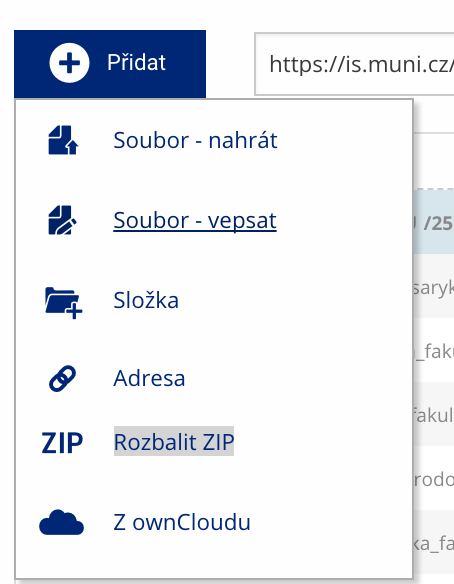 Soubor nebo složku lze nahrát pomocí tlačítka Přidat.
 -
Další operace se soubory
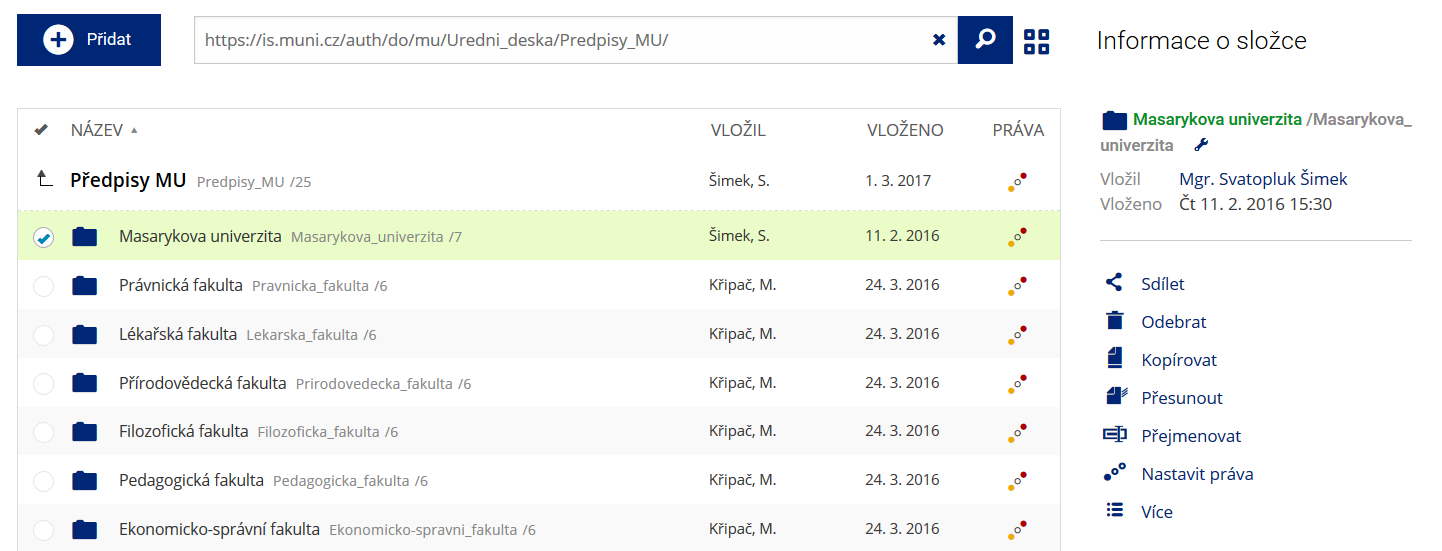 Podrobnosti lze zjistit označením příslušného řádku.
 -
Pohled pro experty
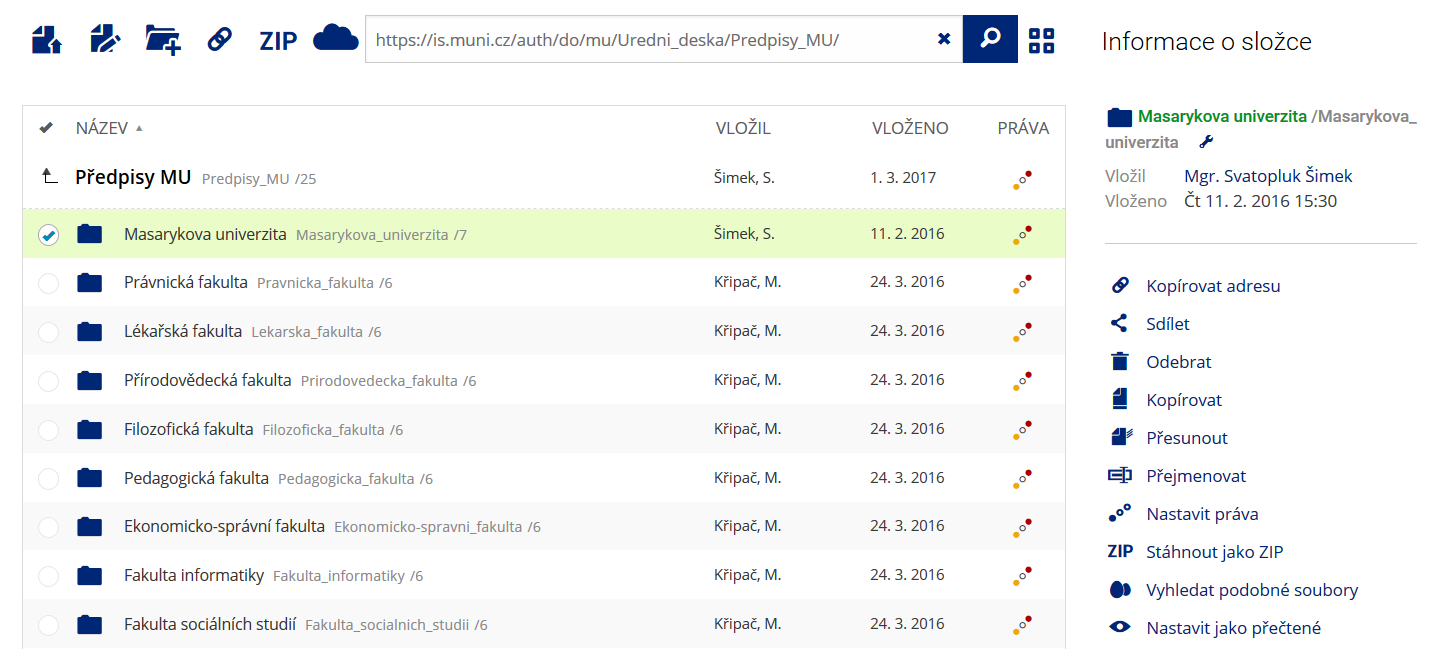 Pro častou práci je možné zvolit režim Více možností.
 -
Vyhledávání souborů
 Vyhledávaný výraz můžete zadat přímo do adresního řádku.
 -
Rychlý přístup k souborům
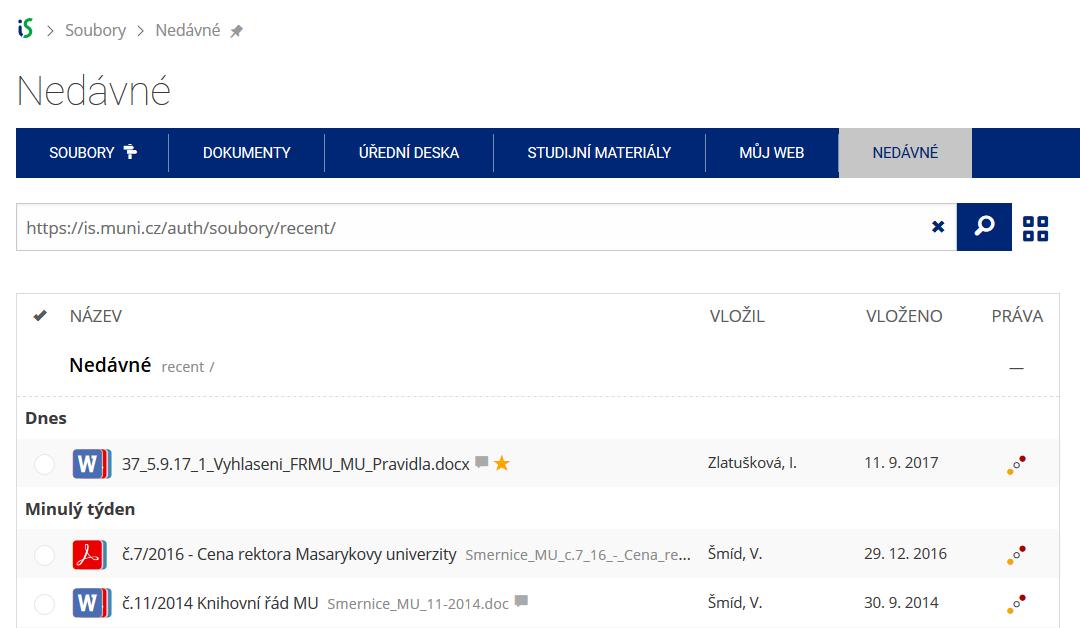 Pomocí funkce Nedávné je možné se rychle vrátit k právě prohlíženým souborům. Oblíbené soubory je také možné označit Hvězdičkou.