Závěrečná práce: Matúš Martiška: Interactive textbooks
Bakalářská práce
Interactive textbooks
Anotace
S rozvojem technologií se vzdělávání stává stále více digitalizovaným. Tato práce si klade za cíl vyvinout webovou aplikaci pro vytváření, úpravu a prezentaci interaktivních učebnic. Tyto interaktivní učebnice mohou být vytvořeny z existujících učebnic importováním PDF nebo obrázků učebnice. Editor těchto učebnic poskytuje interaktivní vrstvu, kterou lze přidat na vrch učebnic, jako je text, vstupy …více
Abstract
With technologies moving forward, education is becoming much more digitalized. This thesis aims to develop a web application for creating, editing, and presenting interactive textbooks. These interactive textbooks can be made out of existing ones by importing PDF or images of the textbook. The editor of these textbooks provides an interactive layer to add on top of the textbooks, such as text, input …více
Zadání práce
29. 5. 2024 20:02, Ing. Lukáš Grolig, učo 325217
 angličtina
Práce na příbuzné téma
Seznam prací, které mají shodná klíčová slova.
-
Komparace činnosti editorů v brněnské regionální mutaci deníku Mladá fronta DNES a na internetovém zpravodajském serveru Brno.idnes.cz
Mgr. Lucie Hušková, učo 216080 -
Editor světel ve virtuální realitě
Mgr. Martin Bezděka -
Soubor publicistických textů „Na kávě s...“ v deníku MF DNES (v regionální příloze Brno)
Mgr. et Mgr. Marcela Svobodová -
Flashova hra typu Tower Defence
Bc. Matej Bordáč -
Velkomeziříčsko - noviny žijící se čtenáři v regionu již 95 let
Ing. Bc. Ivana Horká -
Pohodlné vkládání regulárních jazyků do webového formuláře
Mgr. Matej Poklemba -
Interconnection of Unity Game Engine and Newgrounds Online Service
Mgr. Tomáš Ježek -
Učebnice v estetické výchově
Mgr. Adéla Hlaváčková, učo 261283
Složky
Soubory
-
Přidání souboru
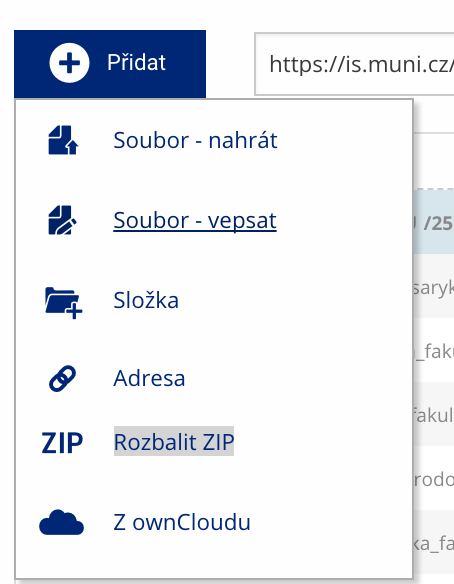 Soubor nebo složku lze nahrát pomocí tlačítka Přidat.
 -
Další operace se soubory
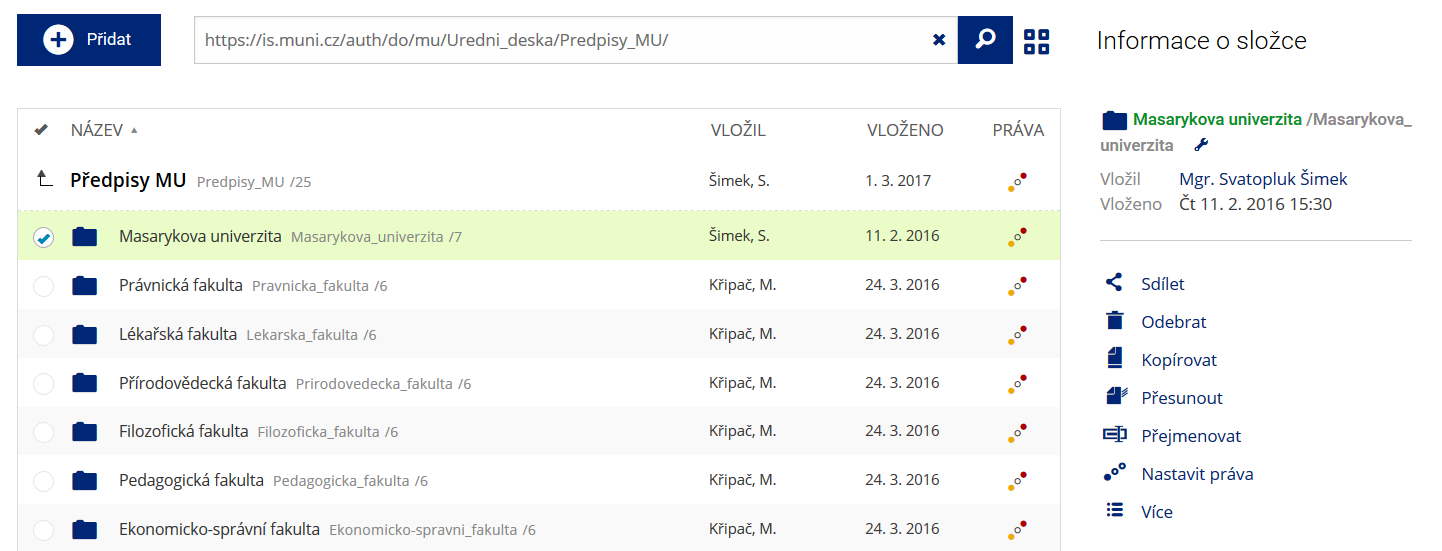 Podrobnosti lze zjistit označením příslušného řádku.
 -
Pohled pro experty
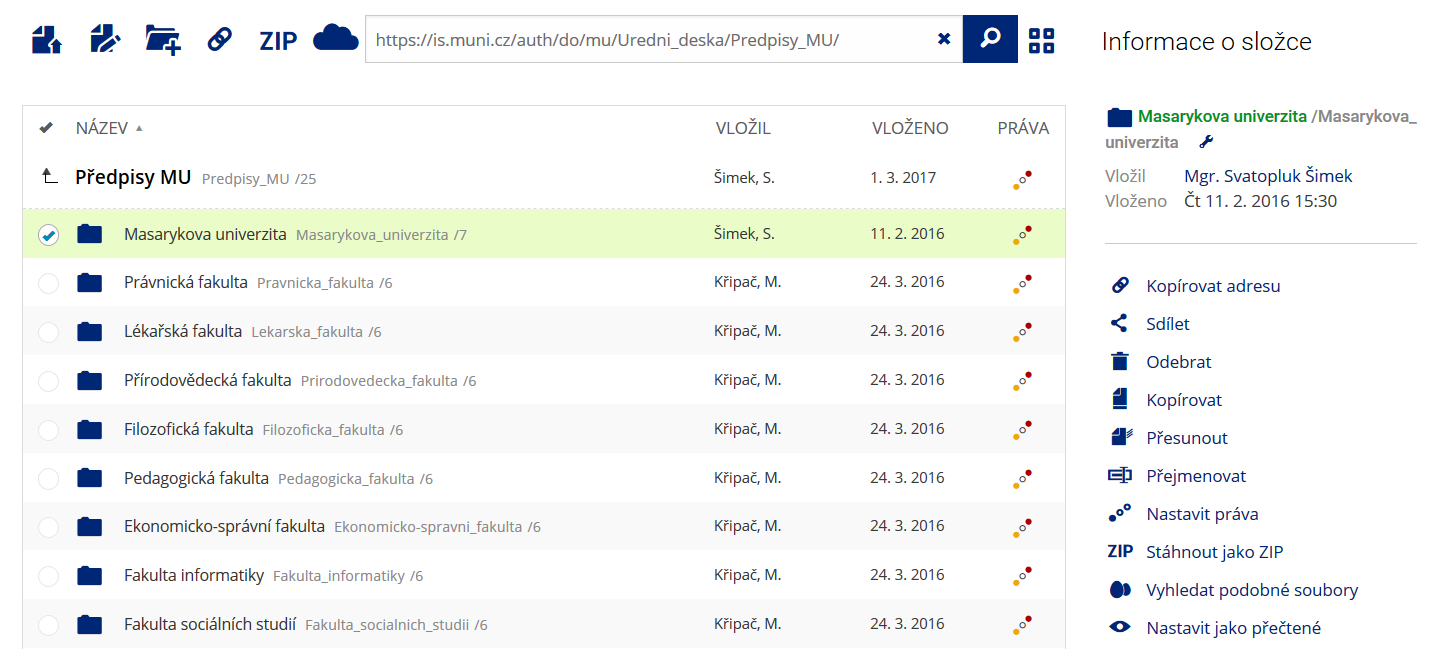 Pro častou práci je možné zvolit režim Více možností.
 -
Vyhledávání souborů
 Vyhledávaný výraz můžete zadat přímo do adresního řádku.
 -
Rychlý přístup k souborům
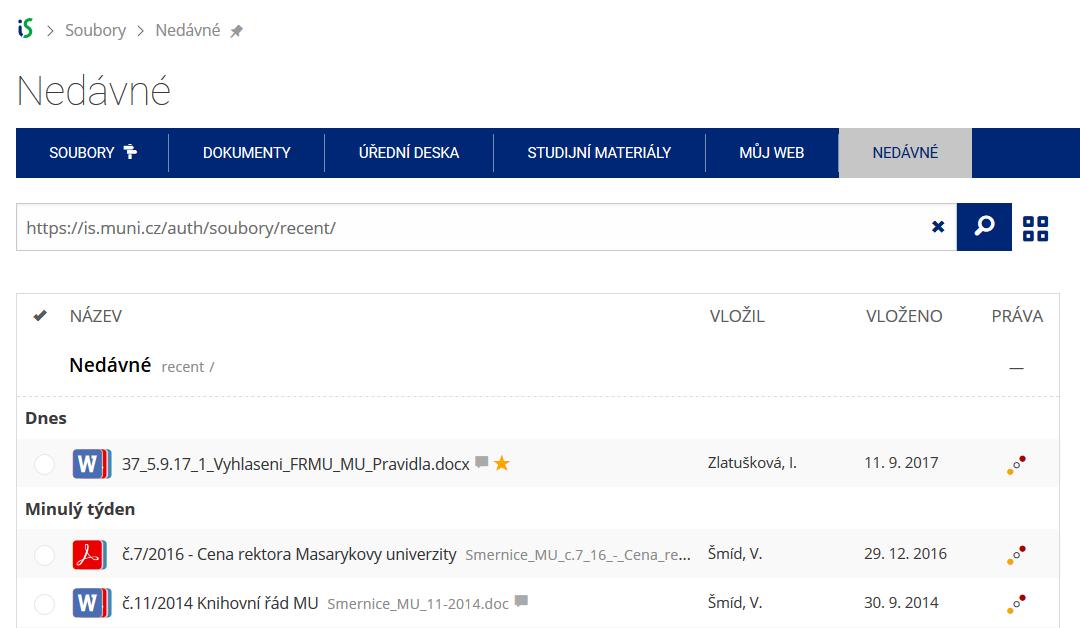 Pomocí funkce Nedávné je možné se rychle vrátit k právě prohlíženým souborům. Oblíbené soubory je také možné označit Hvězdičkou.