Závěrečná práce: Martin Tišš: Finite Automata Design and Simulation Tool
Bakalářská práce
Finite Automata Design and Simulation Tool
Anotace
Konečné automaty predstavujú základné stavebné prvky teoretickej informatiky, no ich abstraktná povaha často prináša značné výzvy pri výučbe a ladení. Táto práca predstavuje návrh a implementáciu modernej webovej platformy Automata Visualizer, ktorá prepája abstraktnú teóriu s praktickým využitím. Platforma poskytuje komplexné prostredie pre interaktívny grafický návrh a prevod regulárnych výrazov …více
Abstract
Finite automata are fundamental components of theoretical computer science, yet their abstract nature often poses significant pedagogical and debugging challenges. This thesis presents the design and implementation of the Automata Visualizer, a modern web-based platform that bridges the gap between abstract theory and practical application. The platform provides a comprehensive environment for interactive …více
Zadání práce
- design an automaton,
- transformation of automaton using the standard algorithms,
- simulate the function of automaton.
- design of the application using the standard software engineering methodology,
- selection of tools used to implement the application,
- evaluation of how the resulting application fulfil the requirements and the user friendliness of application.
- deployed web version of the application with API description,
- application sources and deployment process step-by-step description,
- data acquired during application testing.
22. 5. 2026 05:42, Mgr. Luděk Bártek, Ph.D., učo 2154
Přílohy
 angličtina
Práce na příbuzné téma
Seznam prací, které mají shodná klíčová slova.
-
Vizualizace pro nástroj Flowmon DDoS Defender
Mgr. Ondrej Repa, učo 433704 -
Web Application for Basketball Coaches
Bc. Igor Kadavý -
Archive of CCD images
Ing. Šárka Palkovičová -
Web Application for Laboratory Data Analysis and Visualization
Mgr. Šimon Mačejovský -
Visualisation of data dependencies in relational databases
Ing. Petr Ivičič -
Electric distribution box verification system
Bc. Andrej Lipták -
No-Code Tool for Data Preprocessing for Machine Learning
Ing. Adam Zálešák, učo 493071 -
Design and implementation of a new version of 2DProts database web pages
Bc. Mario Mičulka
Složky
Soubory
-
Přidání souboru
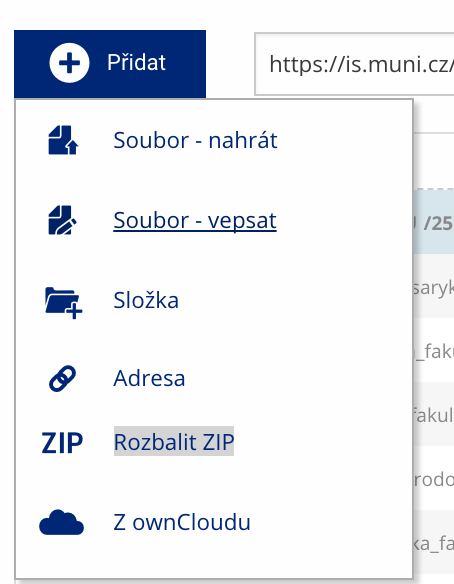 Soubor nebo složku lze nahrát pomocí tlačítka Přidat.
 -
Další operace se soubory
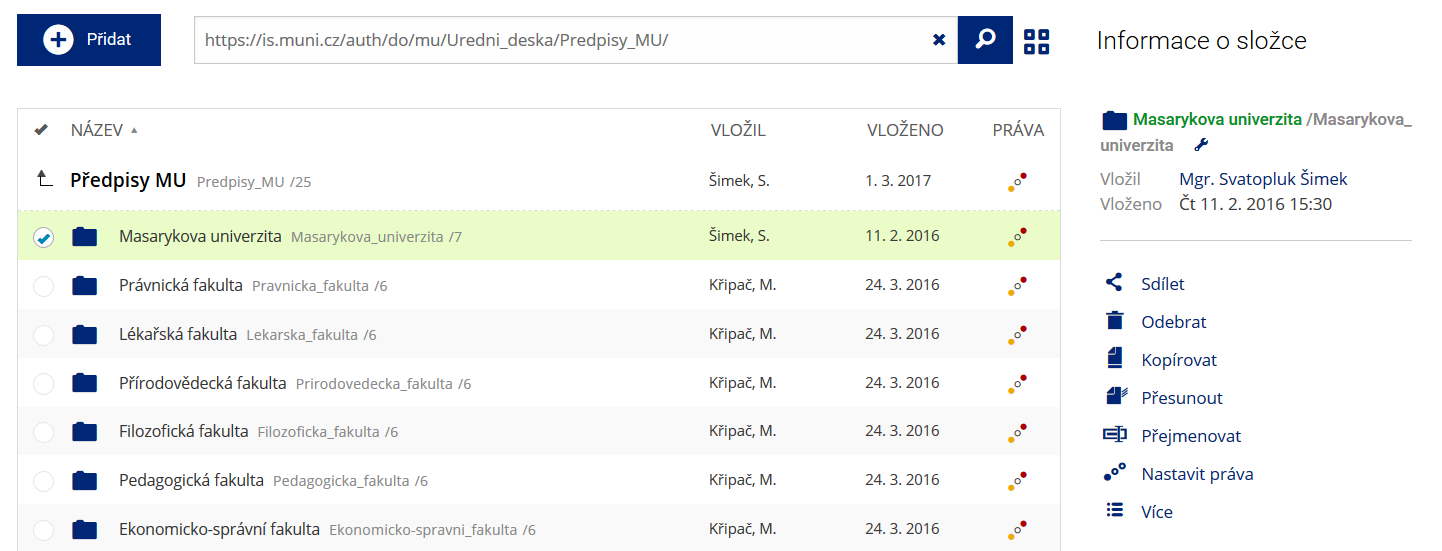 Podrobnosti lze zjistit označením příslušného řádku.
 -
Pohled pro experty
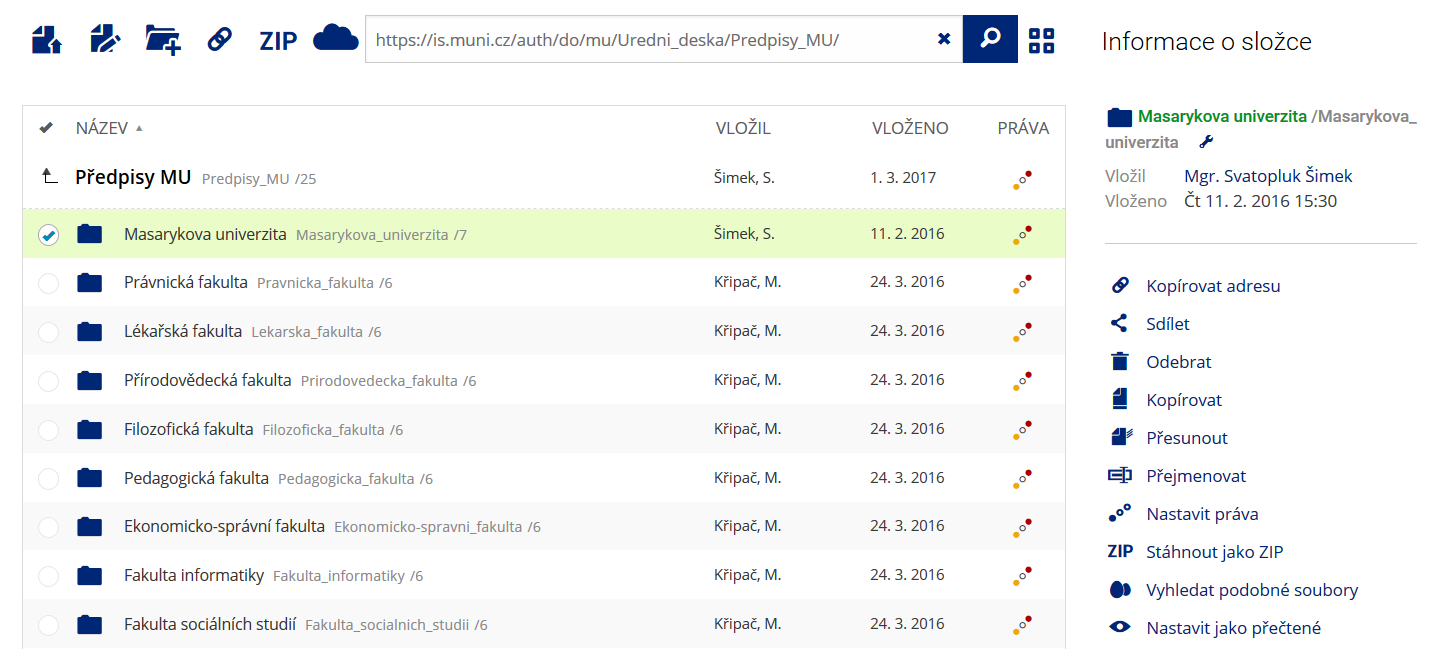 Pro častou práci je možné zvolit režim Více možností.
 -
Vyhledávání souborů
 Vyhledávaný výraz můžete zadat přímo do adresního řádku.
 -
Rychlý přístup k souborům
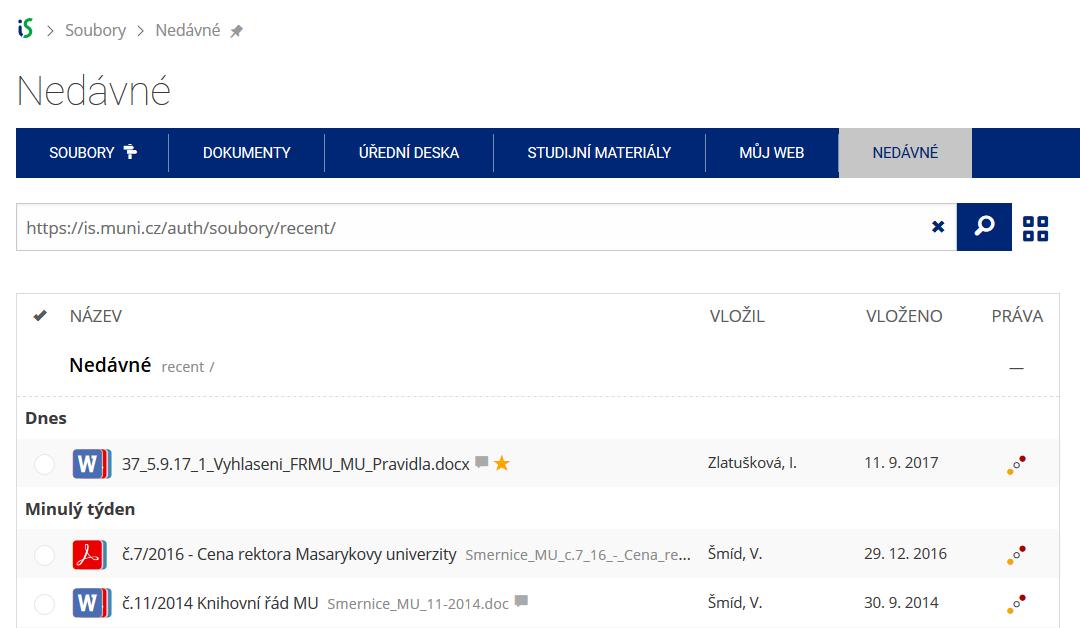 Pomocí funkce Nedávné je možné se rychle vrátit k právě prohlíženým souborům. Oblíbené soubory je také možné označit Hvězdičkou.