Závěrečná práce: Bc. Juraj Smeriga: Integration of Cisco Global Threat Alert to 3rd Party Product
Diplomová práce
Integration of Cisco Global Threat Alert to 3rd Party Product
Anotace
Cisco Global Threat Alerts (GTA) je služba, ktorá umožňuje rýchlu detekciu a reakciu na kybernetické útoky pokúšajúce sa preniknúť do sieťovej infraštruktúry organizácie. Hlavným cieľom tejto práce je vytvoriť integráciu dát, ktoré poskytuje služba GTA do existujúcej platformy tretej strany a umožniť užívateľovi interakciu s týmito dátami prostredníctvom vhodných dashboardov. Táto práca poskytne všeobecný …více
Abstract
Cisco Global Threat Alerts (The GTA) is a service that enables quick detection and response to cyberattacks attempting to establish a presence within an organization’s network. The main goal of this thesis is to create an easy-to-use integration of the data provided by The GTA to an existing third-party platform and enable a user to interact with the data via suitable dashboards. The thesis will provide …více
Zadání práce
- get familiar with Cisco GTA API and data provided by the API,
- investigate the possibilities of the integrations with 3rd products, such as Splunk, IBM Security QRadar XDR,
- design and realize the integration pattern with the selected 3rd party product,
- design suitable dashboards within the integration that is useful for a cybersecurity analyst,
- collect relevant feedback from expected users and experts.
18. 5. 2022 08:52, RNDr. Tomáš Jirsík, Ph.D.
Přílohy
Integration_of_Cisco_Global_Threat_Alert_to_3rd_Party_Product.zip
 angličtina
Práce na příbuzné téma
Seznam prací, které mají shodná klíčová slova.
-
Pattern Mining in Command Histories from Cybersecurity Training
Mgr. Kristián Tkáčik -
Clustering of Command Histories from Cybersecurity Training
Bc. Daniel Popovič -
Analytics and dashboarding support for sec-cert.org project
Ing. David Valecký -
Peer Blender: Datová analýza nástroje pro peer assessment
Mgr. Pavel Klammert -
Datová analýza ve fotbale – série publicistických rozhovorů pro web magazínu Football Club
Bc. Jáchym Pivovar -
Implementace Business Intelligence ve společnosti TEDOM energie s.r.o.
Mgr. David Bocián -
Elektronické bankovnictví
Ing. Daniel Řiha, učo 98671 -
Bezpečnostní politika rozsáhlé uživatelské počítačové infrastruktury
Mgr. Pavel Tuček
Složky
Soubory
-
Přidání souboru
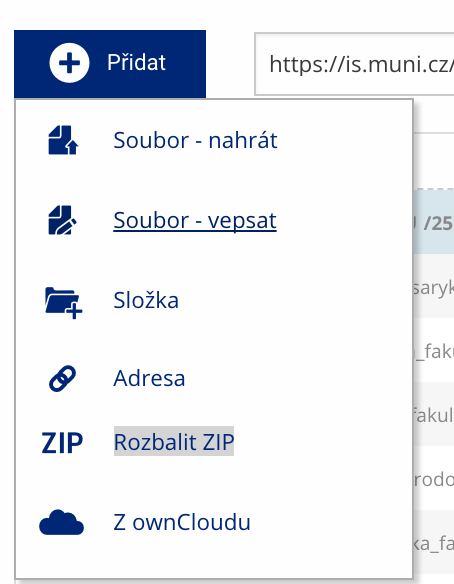 Soubor nebo složku lze nahrát pomocí tlačítka Přidat.
 -
Další operace se soubory
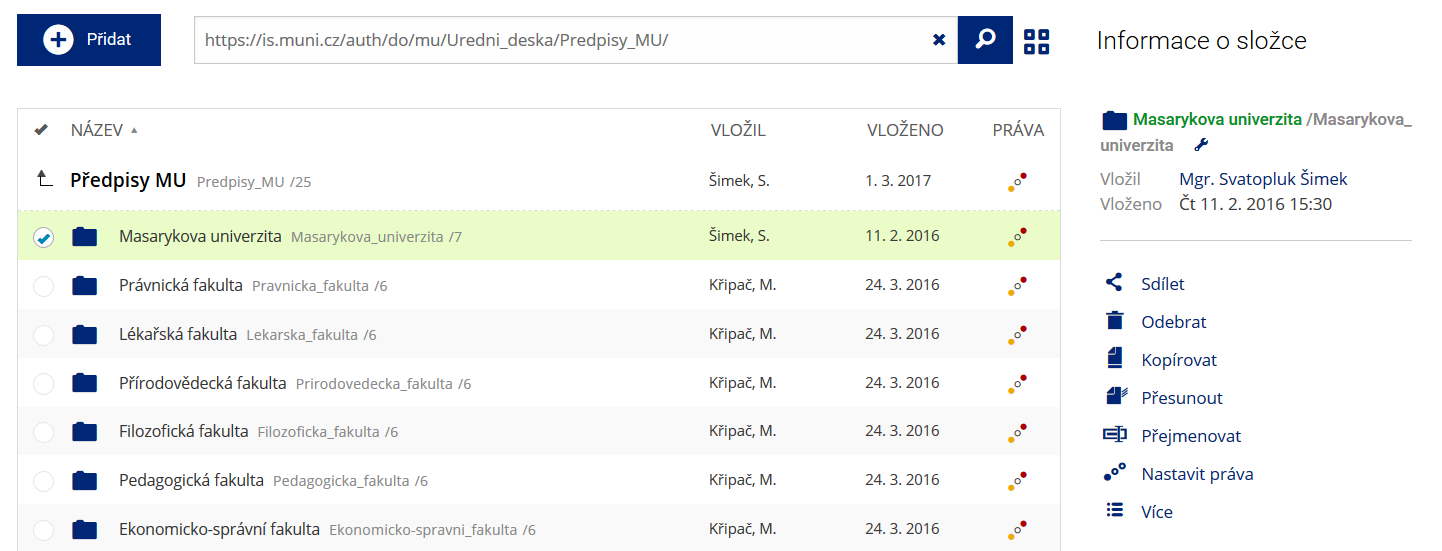 Podrobnosti lze zjistit označením příslušného řádku.
 -
Pohled pro experty
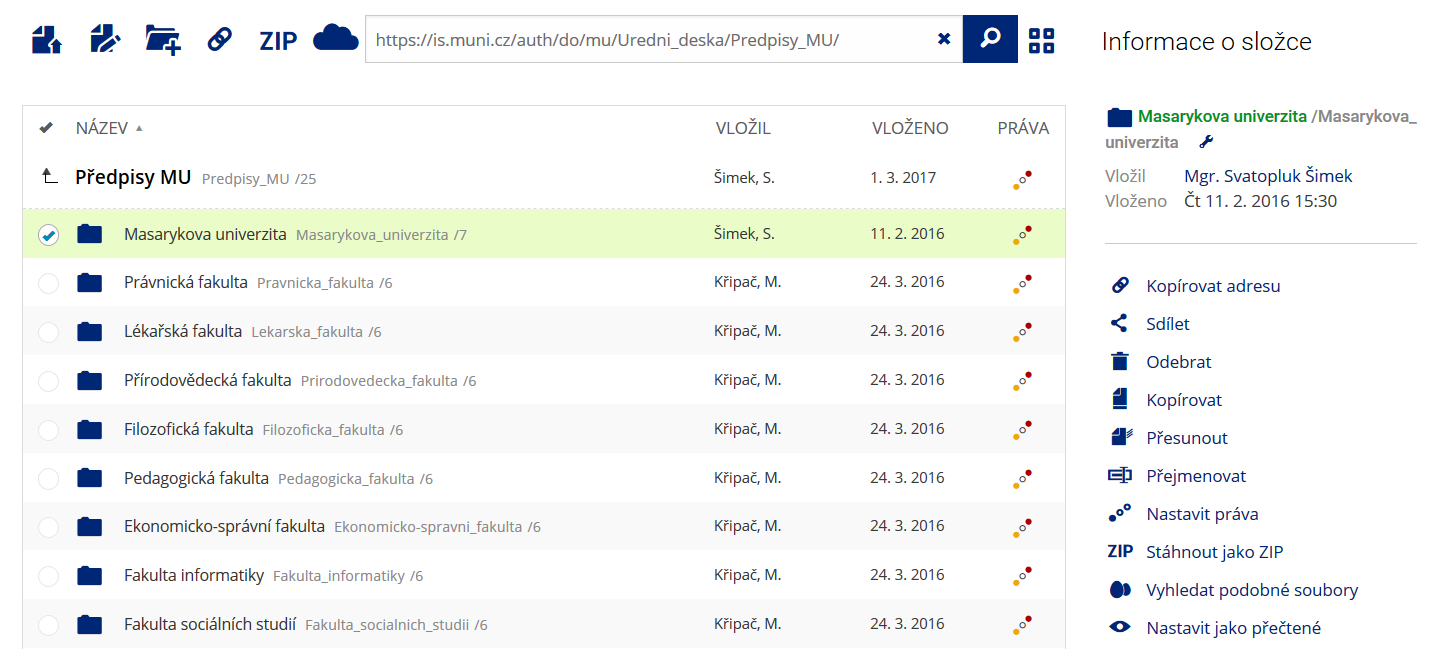 Pro častou práci je možné zvolit režim Více možností.
 -
Vyhledávání souborů
 Vyhledávaný výraz můžete zadat přímo do adresního řádku.
 -
Rychlý přístup k souborům
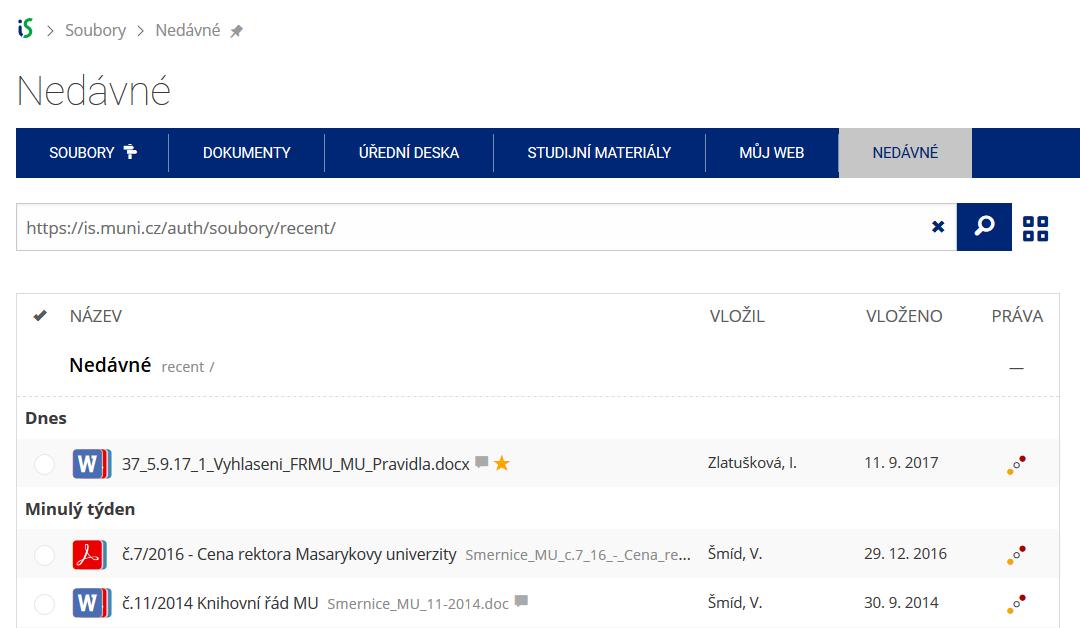 Pomocí funkce Nedávné je možné se rychle vrátit k právě prohlíženým souborům. Oblíbené soubory je také možné označit Hvězdičkou.