Závěrečná práce: Filip Kollár: Big data processing with Spring Batch
Bakalářská práce
Big data processing with Spring Batch
Anotace
Hlavním cílem této práce je popsat, jak byl použit framework Spring Batch k přeimplementaci a vylepšení aplikace Kramerius+. Aplikace Kramerius+ je rozšiřujícím modulem aplikace Kramerius, která slouží jako systém pro digitální knihovny. Kramerius+ je aplikace, která využívá externí nástroje pro zpracování přirozeného jazyka k obohacení a exportu publikací obsahujících velké množství textových dat …více
Abstract
The main goal of this thesis is to describe how Spring Batch was used to reimplement and improve Kramerius+. Kramerius+ application builds upon a web application Kramerius a system powering digital libraries. Kramerius+ is an application that uses external natural language processing tools to enrich and export publications that contain large amounts of text data. Kramerius+ stores the enriched data …více
Zadání práce
19. 5. 2023 09:05, prof. RNDr. Tomáš Pitner, Ph.D.
 angličtina
Práce na příbuzné téma
Seznam prací, které mají shodná klíčová slova.
-
System for advanced search in metadata from NLP tools
Ing. Norbert Bodnár -
Metadata Object Description Schema
Mgr. Pavla Rychtářová -
Využití jazyka XML v knihovnické praxi
Mgr. Eva Kadrnožková -
Katalogová služba mapové sbírky Geografického ústavu
Mgr. Jiří Svoboda, učo 206580 -
Budování metadatového editoru nad GWT
Mgr. Jiří Kremser, učo 143415 -
Projekty digitálních knihoven u nás a ve světě - nástroje a standardy
Mgr. Lenka Damborská, učo 263658 -
Vkládání obecných souborů do XML předpisu automatizovaných testů
Bc. Pavel Holica, učo 324809 -
Aplikace pro výběr dat hromadné korespondence
Mgr. Jan Dvořák
Složky
Soubory
-
Přidání souboru
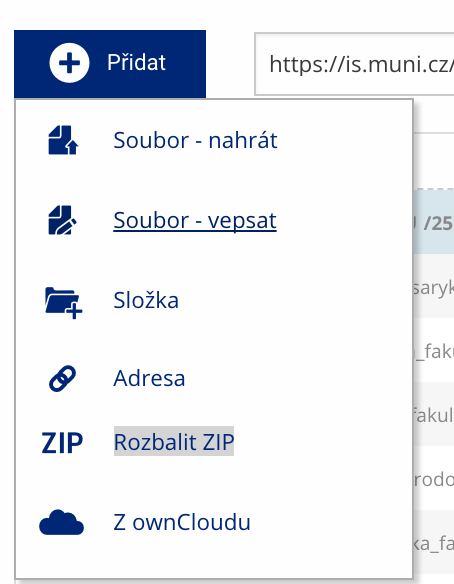 Soubor nebo složku lze nahrát pomocí tlačítka Přidat.
 -
Další operace se soubory
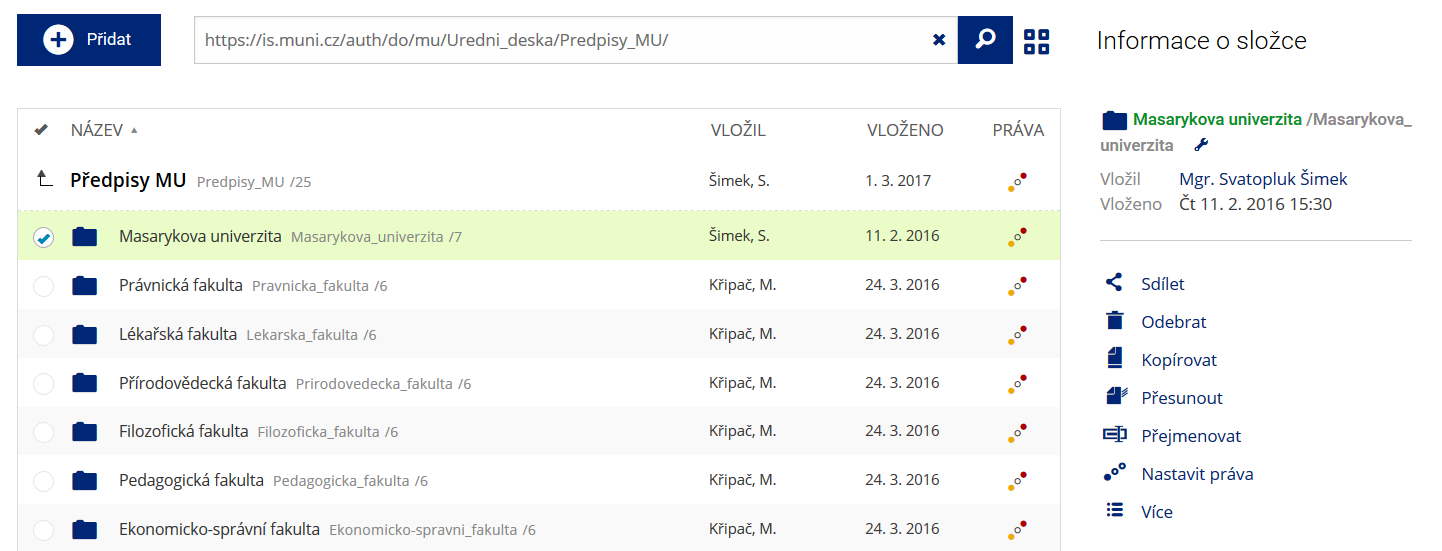 Podrobnosti lze zjistit označením příslušného řádku.
 -
Pohled pro experty
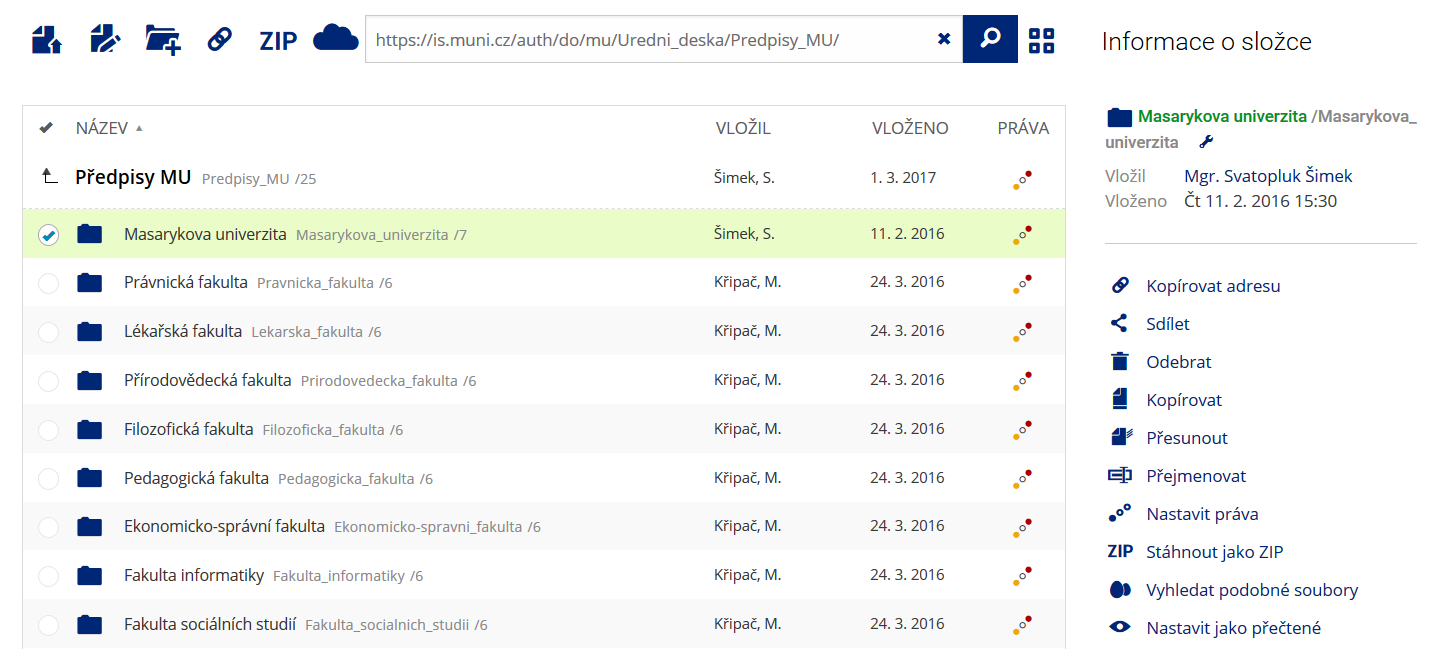 Pro častou práci je možné zvolit režim Více možností.
 -
Vyhledávání souborů
 Vyhledávaný výraz můžete zadat přímo do adresního řádku.
 -
Rychlý přístup k souborům
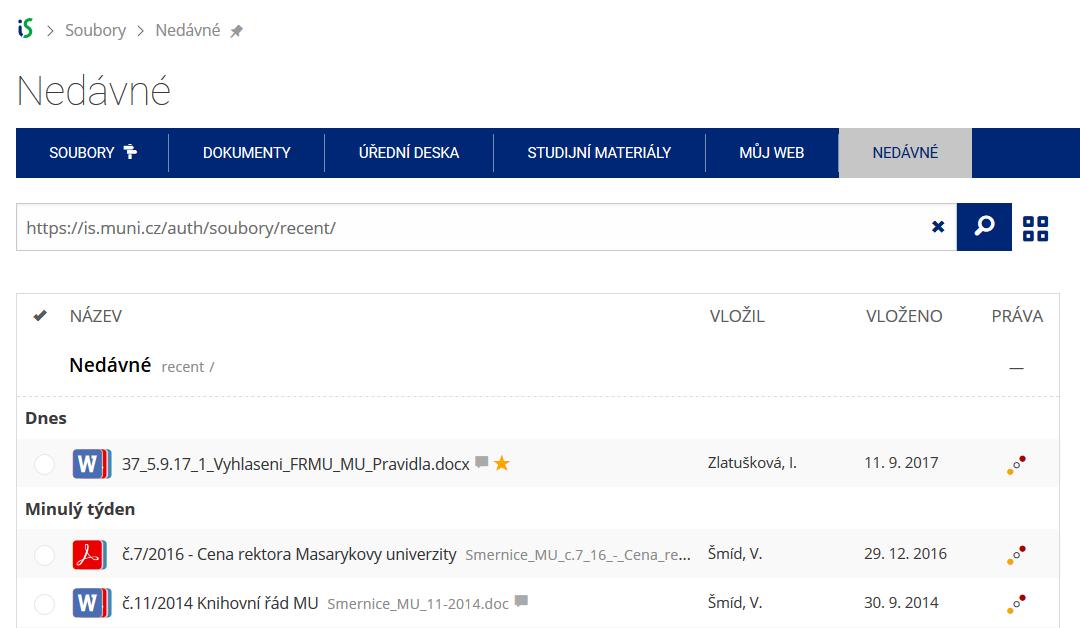 Pomocí funkce Nedávné je možné se rychle vrátit k právě prohlíženým souborům. Oblíbené soubory je také možné označit Hvězdičkou.