Závěrečná práce: Alžběta Velenová: Annotations of 3D Facial Images
Bakalářská práce
Annotations of 3D Facial Images
Anotace
Tato bakalářská práce se zabývá návrhem a implementací webové aplikace pro interaktivní anotaci obrazů lidského obličeje. Webová aplikace umožňuje forenzním a antropologickým expertům nahrávat, vizualizovat a anotovat 3D modely obličejů pomocí standardizovaných atlasů morfologických znaků. Práce představuje navržené řešení jako modul platformy CoPAS. Platforma zajišťuje standardizaci pracovních postupů …více
Abstract
This thesis focuses on the design and implementation of a web application for interactive facial image annotation. The web application enables forensic and anthropological experts to upload, visualise, and annotate 3D facial models using standardised feature atlases. This work presents the proposed solution as a module of the CoPAS platform. The platform provides process standardisation, supports the …více
Zadání práce
22. 5. 2026 13:36, RNDr. Daniel Kouřil, Ph.D., učo 1388
 angličtina
Práce na příbuzné téma
Seznam prací, které mají shodná klíčová slova.
-
Utilization of NTFS metadata to facilitate digital forensics
Mgr. Michal Masrna, učo 514084 -
Využití provozních záznamů Windows k zvýšení kybernetické bezpečnosti
Ing. Ondřej Planer -
Techniky a nástroje pro budování služeb Webu 2.0
Bc. Jaroslav Tesařík -
Integrace a automatizace systémů v pracovních procesech projektu WebArchiv
Mgr. Adam Brokeš -
Analýza a tvorba groupware pro studentské projekty
Mgr. Vojtěch Pilař -
Systém pro řízení motocyklových turistických soutěží
Bc. Radek Poskočil -
Virtuální cvičebnice úloh afinní geometrie
Mgr. Jakub Klejch -
Rozpoznávání startovních čísel
Mgr. Michal Halaj, učo 359690
Složky
Soubory
-
Přidání souboru
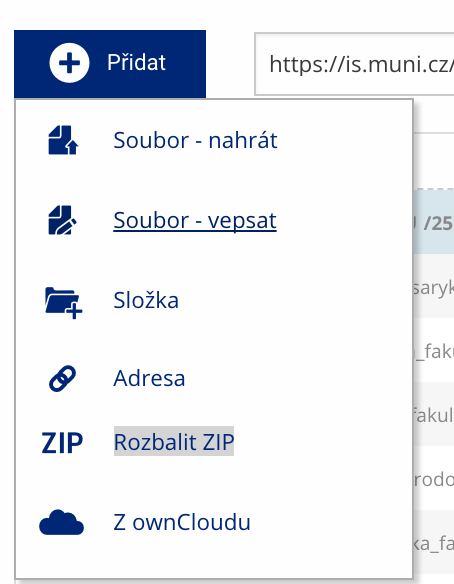 Soubor nebo složku lze nahrát pomocí tlačítka Přidat.
 -
Další operace se soubory
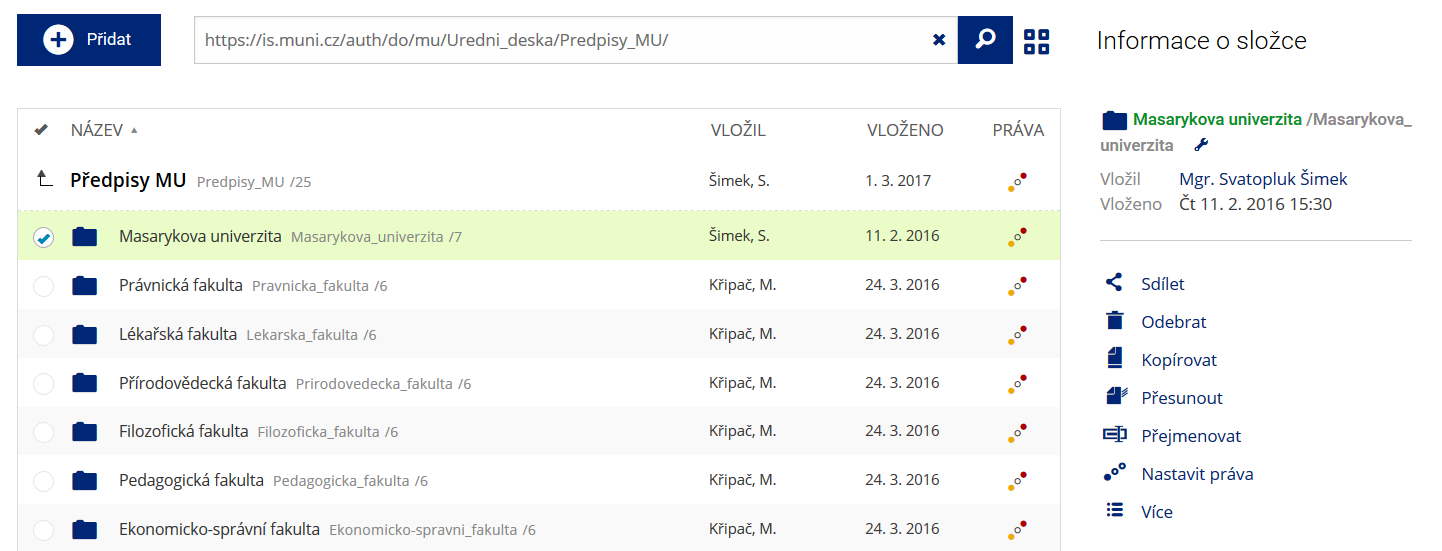 Podrobnosti lze zjistit označením příslušného řádku.
 -
Pohled pro experty
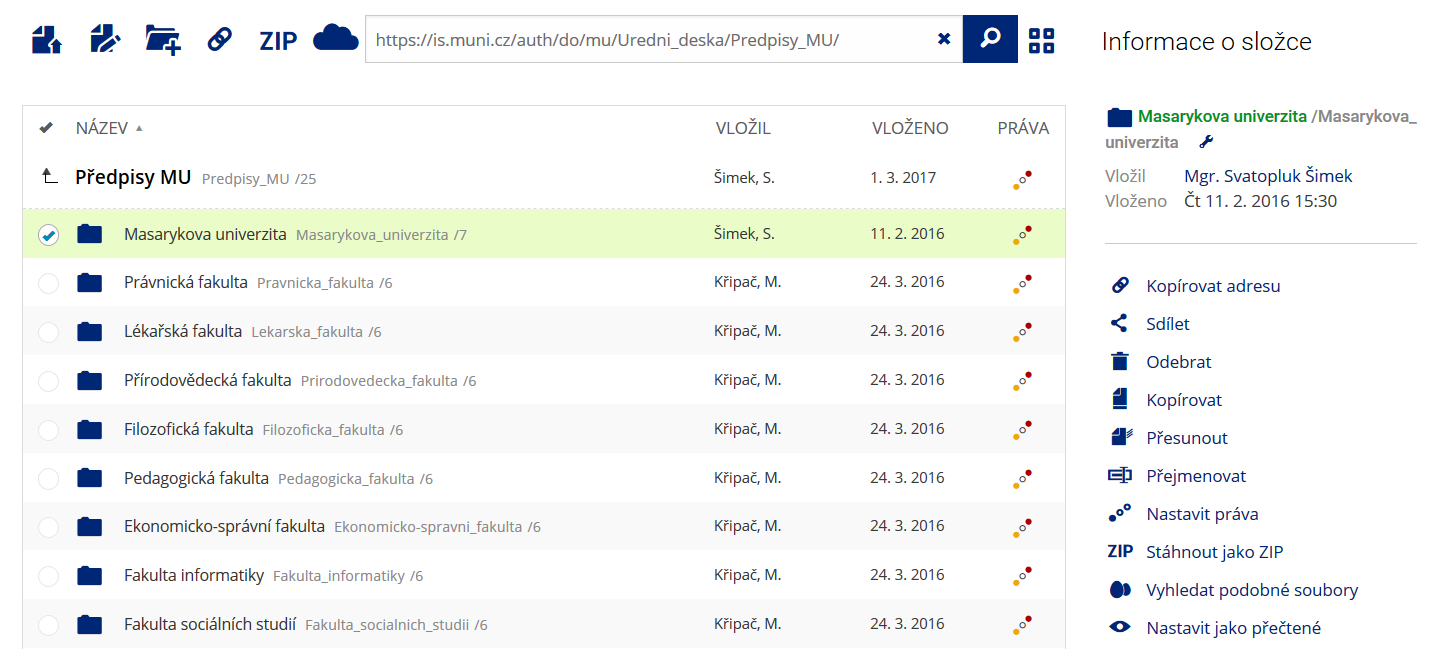 Pro častou práci je možné zvolit režim Více možností.
 -
Vyhledávání souborů
 Vyhledávaný výraz můžete zadat přímo do adresního řádku.
 -
Rychlý přístup k souborům
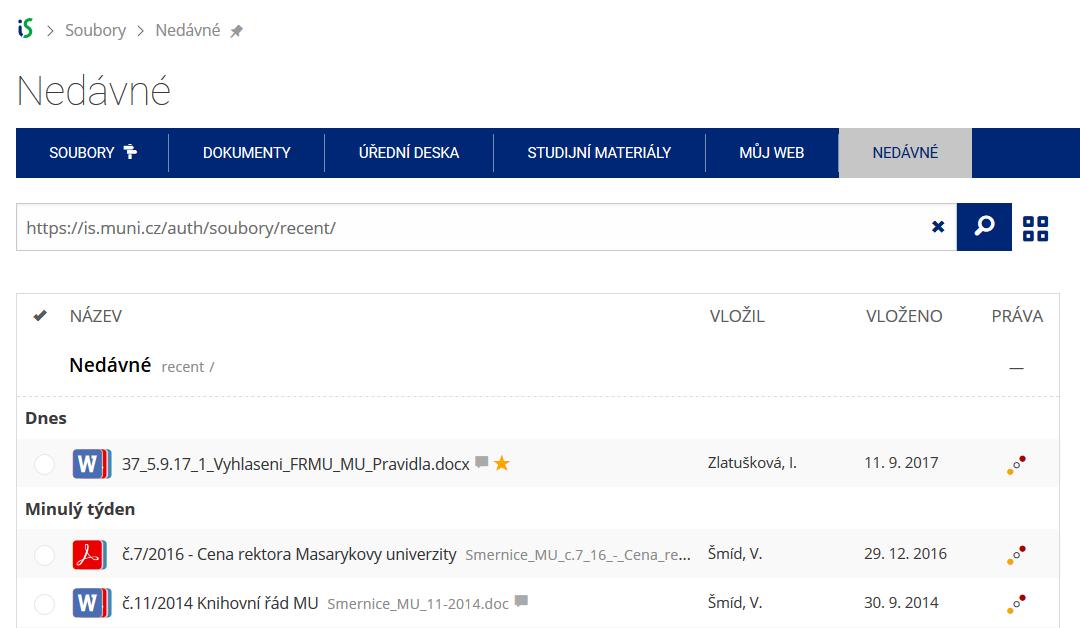 Pomocí funkce Nedávné je možné se rychle vrátit k právě prohlíženým souborům. Oblíbené soubory je také možné označit Hvězdičkou.