Závěrečná práce: Bc. Tomáš Hrdlička, učo 72614: NSYS Cloud Warehouse
Diplomová práce
NSYS Cloud Warehouse
Anotace
The trend of the last years is in area of cloud computing based on various services which are related to one or more particular fields such as Software as a Service (SaaS), Infrastructure as a Service (IaaS) and Platform as a Service (PaaS). The cloud services are operated by different providers which are usually oriented in specific field such as storage or computing. The common requirement from …více
Abstract
The trend of the last years is in area of cloud computing based on various services which are related to one or more particular fields such as Software as a Service (SaaS), Infrastructure as a Service (IaaS) and Platform as a Service (PaaS). The cloud services are operated by different providers which are usually oriented in specific field such as storage or computing. The common requirement from …více
Zadání práce
30. 5. 2012 14:41, doc. RNDr. Eva Hladká, Ph.D., učo 2053
 angličtina
Vedoucí
Práce na příbuzné téma
Seznam prací, které mají shodná klíčová slova.
-
E-commerce aplikace v Cloudu
Mgr. Andrej Kuročenko -
Bezpečnostní řešení pro cloudové technologie
Mgr. Jan Vavrečka, učo 325251 -
Cloud computing se zaměřením na dostupnost a bezpečnost dat
Mgr. Emil Budín -
Analýza současného stavu informačního systému vybraného podniku
Ing. Sára Stepaková -
Platform for deploying web applications
Mgr. Marek Jelen, učo 207948 -
Bezpečnost cloudových PaaS
Mgr. Tomáš Plevko, učo 324589 -
Design and Implementation of a Cloud-Native Multi-Tenant Infrastructure with Integrated CI/CD and an AI-Assisted Global Knowledge Base
Ing. Jindřich Kadlčík -
Database management as a cloud-based service for small and medium organizations
Mgr. Dipl. Ing. Dime Dimovski
Složky
Soubory
-
Přidání souboru
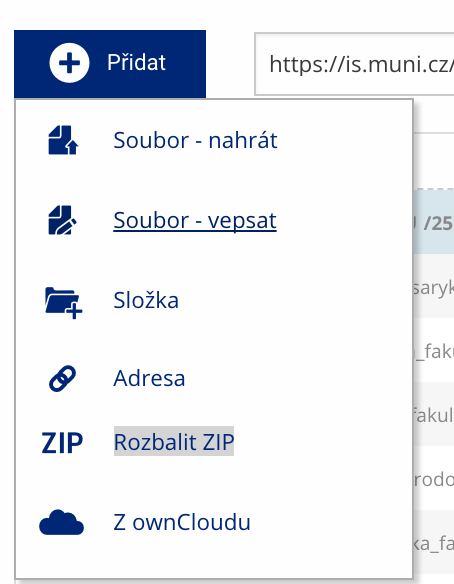 Soubor nebo složku lze nahrát pomocí tlačítka Přidat.
 -
Další operace se soubory
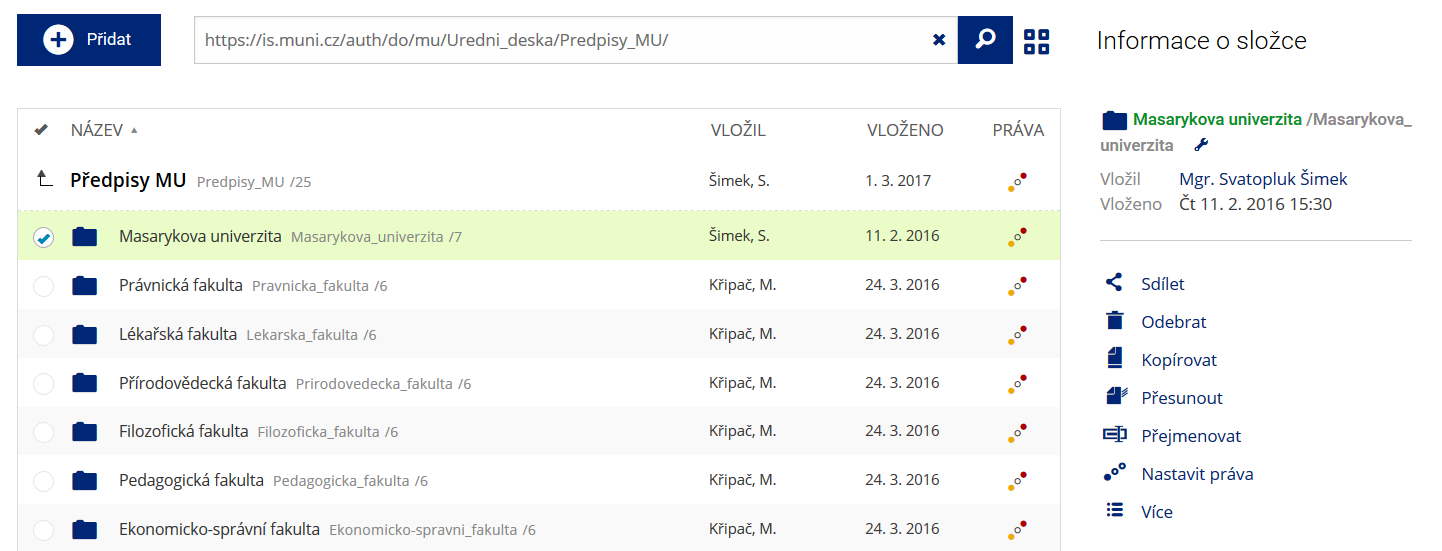 Podrobnosti lze zjistit označením příslušného řádku.
 -
Pohled pro experty
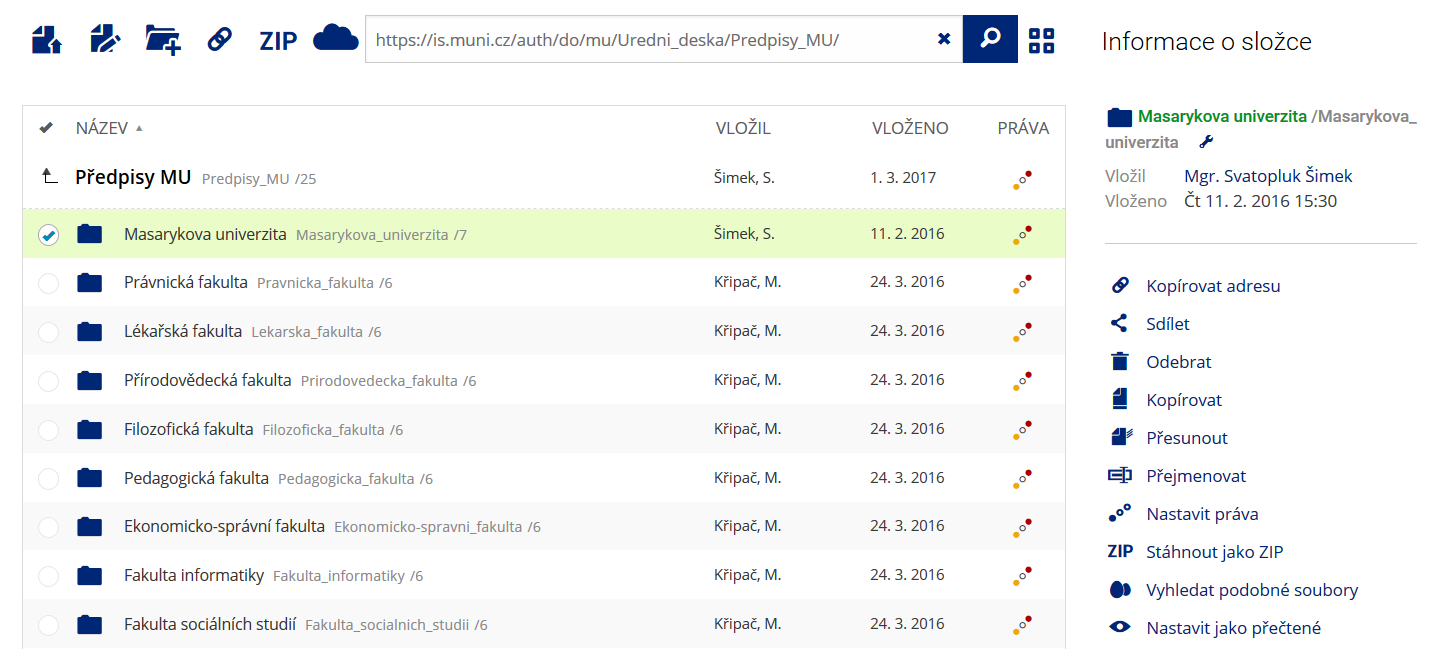 Pro častou práci je možné zvolit režim Více možností.
 -
Vyhledávání souborů
 Vyhledávaný výraz můžete zadat přímo do adresního řádku.
 -
Rychlý přístup k souborům
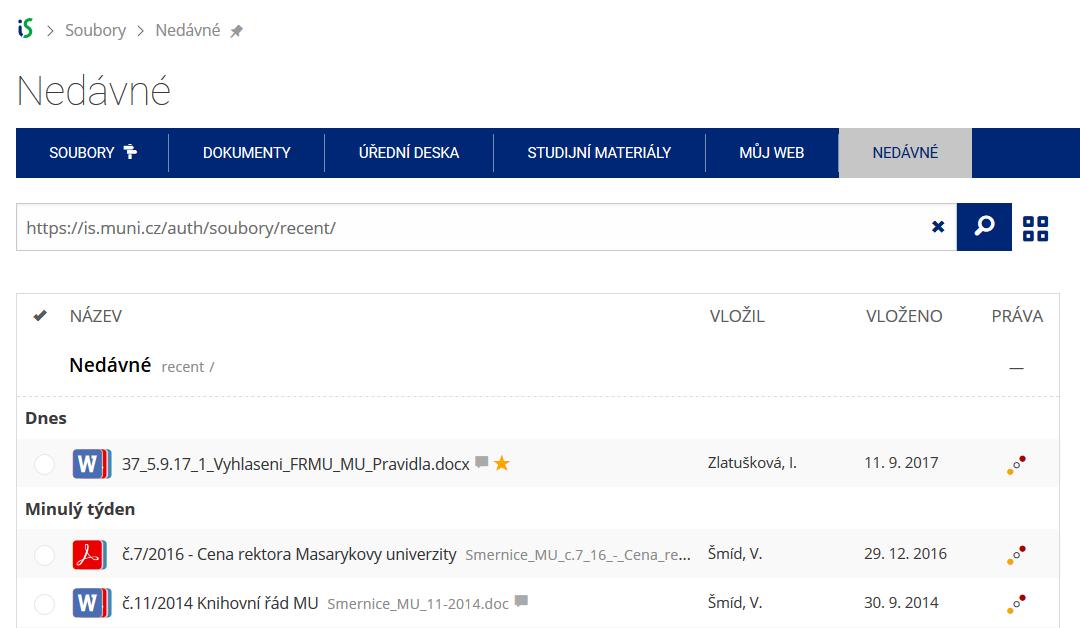 Pomocí funkce Nedávné je možné se rychle vrátit k právě prohlíženým souborům. Oblíbené soubory je také možné označit Hvězdičkou.