Závěrečná práce: Marek Blahuš, učo 172464: A Spell Checker for Esperanto
Bakalářská práce
A Spell Checker for Esperanto
Anotace
Tato práce poskytuje stručný přehled softwaru pro kontrolu pravopisu a popisuje proces konstrukce kontroloru pravopisu pro jazyk Esperanto a jeho implementaci jako slovníku (tj. afixového souboru a seznamu slov) pro kontrolor pravopisu Hunspell. Použitý seznam slov vznikl adaptací slovních kořenů pocházejících z uznávaného esperantského slovníku PIV. Rozpoznávání morfologicky složitých slov, která …více
Abstract
This thesis provides a brief overview of spell checking software and describes the process of constructing a spell checker for the Esperanto language and its implementation as a dictionary (i.e. an affix file and a word list) for the Hunspell spell checker. The word list is an adaptation of word roots coming from the renowned Esperanto dictionary PIV. Recognition of morphologically complex words, which …více
Zadání práce
11. 10. 2008 13:01, (IS automaticky)
- Zadáno/změněno 26. 6. 2008 13:38, Jana Zemanová, učo 9619
- Záznam založen 24. 4. 2008 14:32, Helena Kryštofová
- Zveřejnit od 23. 5. 2008 10:03, Helena Kryštofová
- Práce převzata 23. 5. 2008 10:03, Helena Kryštofová
 angličtina
Vedoucí
Práce na příbuzné téma
Seznam prací, které mají shodná klíčová slova.
-
Doplnění lexikografických informací pro slovník českého znakového jazyka
Bc. Kateřina Nová -
Automatická detekce chyb v konkurenčních tvarech zájmen
Mgr. Filip Kubeček -
Tvoření názvů mláďat: morfologie, syntax a frekvence
Mgr. Lucie Findejsová -
Automatická extrakce slovesných idiomů z korpusu
Mgr. Jan Bušta, učo 172959 -
Diftongizace ý > ej v současné češtině
Mgr. Tereza Matějková -
Building Specialized Corpora
Mgr. Jaroslav Blecha -
Corpus Analysis of Treasure Island's Various Translations
Mgr. Renáta Vélová -
Insekten in der Phraseologie mit Beispielen aus Text-Korpora
Mgr. Petra Dudová
Složky
Soubory
-
Přidání souboru
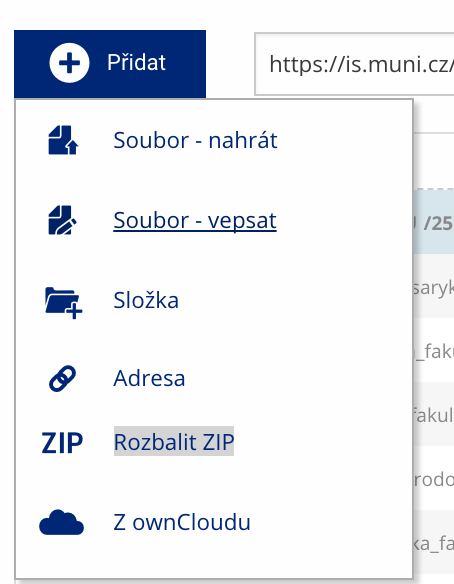 Soubor nebo složku lze nahrát pomocí tlačítka Přidat.
 -
Další operace se soubory
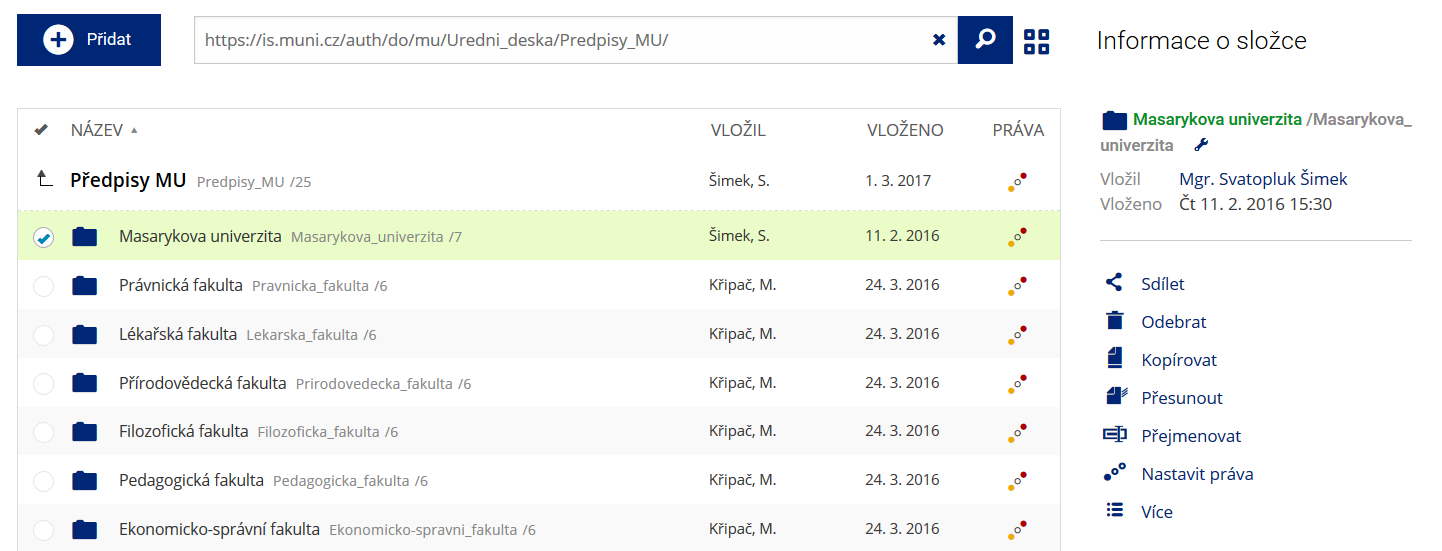 Podrobnosti lze zjistit označením příslušného řádku.
 -
Pohled pro experty
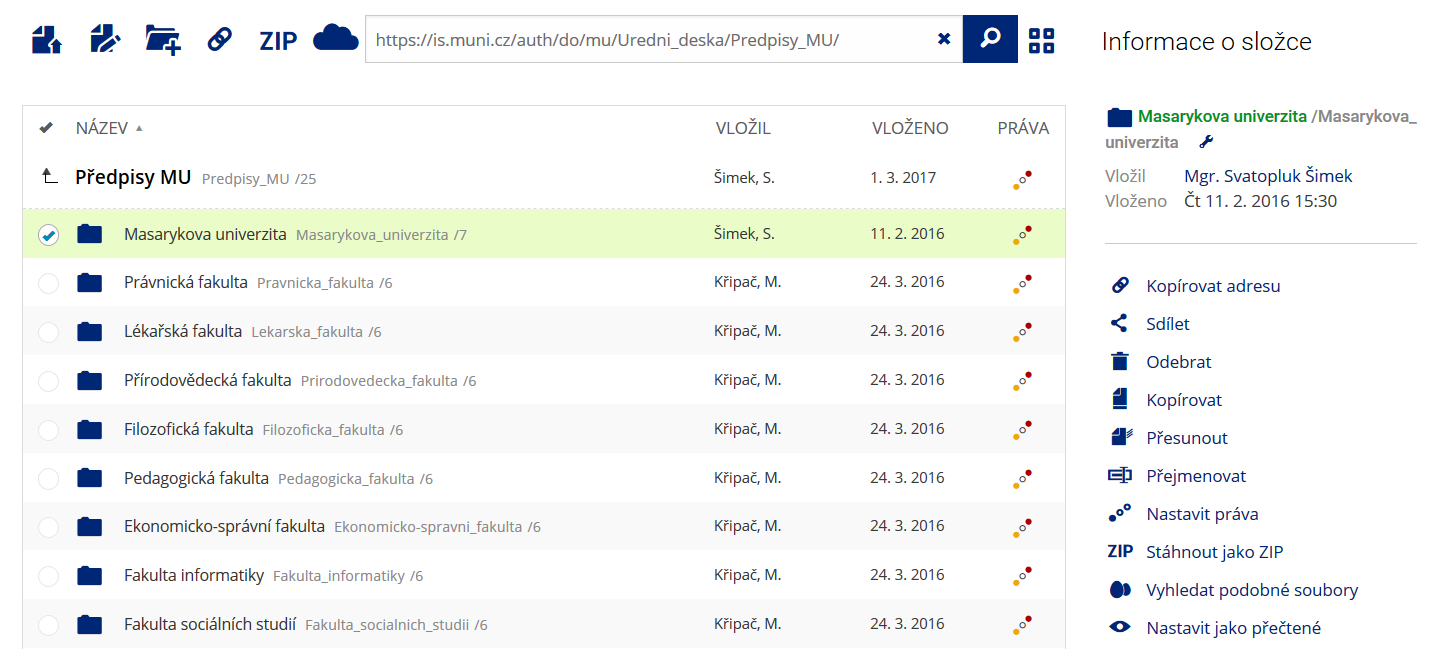 Pro častou práci je možné zvolit režim Více možností.
 -
Vyhledávání souborů
 Vyhledávaný výraz můžete zadat přímo do adresního řádku.
 -
Rychlý přístup k souborům
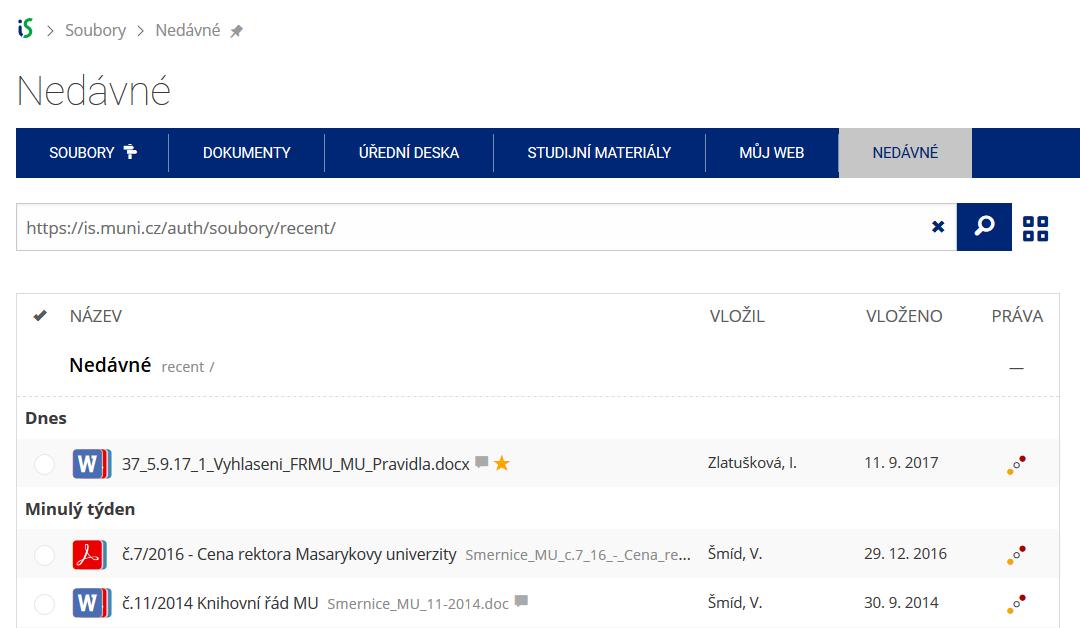 Pomocí funkce Nedávné je možné se rychle vrátit k právě prohlíženým souborům. Oblíbené soubory je také možné označit Hvězdičkou.