Závěrečná práce: Marcel Nadzam: LLMs with Test Feedback for Program Synthesis
Bakalářská práce
LLMs with Test Feedback for Program Synthesis
Anotace
Táto práca predstavuje systém pre automatickú syntézu programov s využitím veľkých jazykových modelov (LLMs). Systém generuje funkcie v jazyku Python na základe popisov definovaných používateľom a overuje ich pomocou odpovedajúcich unit testov. V prípade zlyhania testov sú výsledky odovzdané späť modelu na úpravu. Systém je implentovaný na Aure, zdieľanom akademickom Linux serveri, a podporuje open …více
Abstract
This thesis presents a feedback-driven pipeline for automated program synthesis using large language models (LLMs). The system generates Python functions from user-defined descriptions and validates them against corresponding unit tests. If the code fails, the test results are returned to the LLM for refinement. The pipeline is designed to run on Aura, a shared academic Linux server, and supports open …více
Zadání práce
28. 5. 2025 10:19, doc. RNDr. Petr Novotný, Ph.D., učo 172743
 angličtina
Práce na příbuzné téma
Seznam prací, které mají shodná klíčová slova.
-
Automated Generation of Vulnerability Descriptions Using Local LLMs for Penetration Testing Reports
Mgr. Matúš Maťaš -
Scalable spatio-temporal analytics framework for urban networks
Jura Bogomolov, Ph.D. -
Anotace analýzy sentimentu a postoje pomocí generativního jazykového modelu
Mgr. Daniel Šurda -
Implementation and Evaluation of an LLM-Based Natural-Language Interface for a Cyber Situational Awareness Knowledge Graph
Ing. Martin Bednárik, učo 514183 -
Bias Analysis in Medical Exam Questions Generated by Large Language Models
Mgr. Ema Madarászová -
Automation of the Request for Quotation Process using Large Language Models
Mgr. Martin Kňažovič, učo 553635 -
Automatic generation of CQL queries from natural language
Mgr. Ota Mikušek, učo 514440 -
AI-Based Threat Simulation and Mitigation in Practical Laboratories
Mgr. Kenan Fejzic, učo 565128
Složky
Soubory
-
Přidání souboru
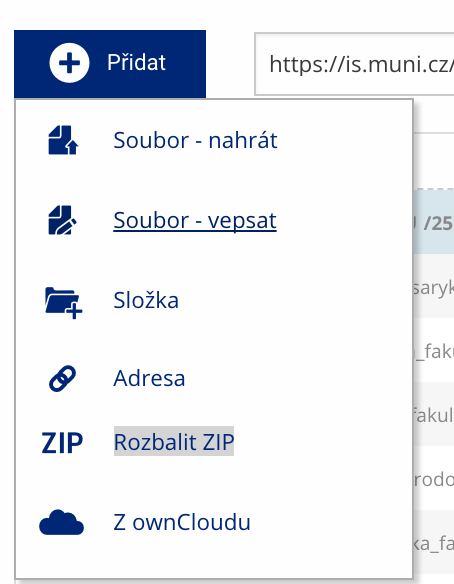 Soubor nebo složku lze nahrát pomocí tlačítka Přidat.
 -
Další operace se soubory
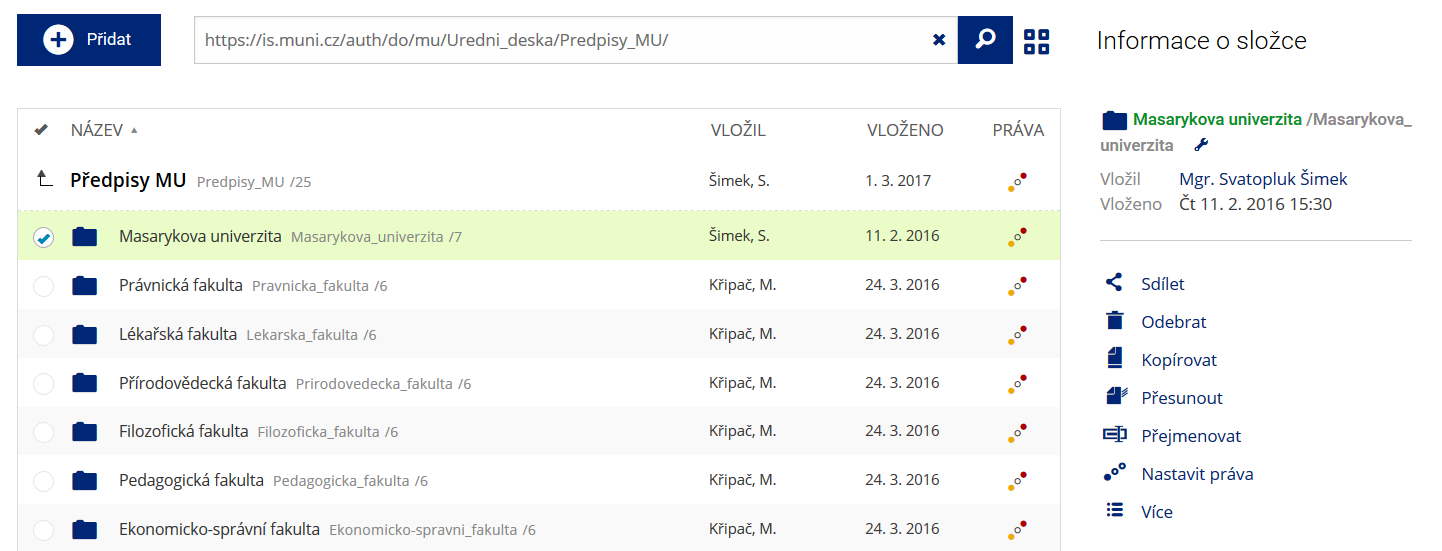 Podrobnosti lze zjistit označením příslušného řádku.
 -
Pohled pro experty
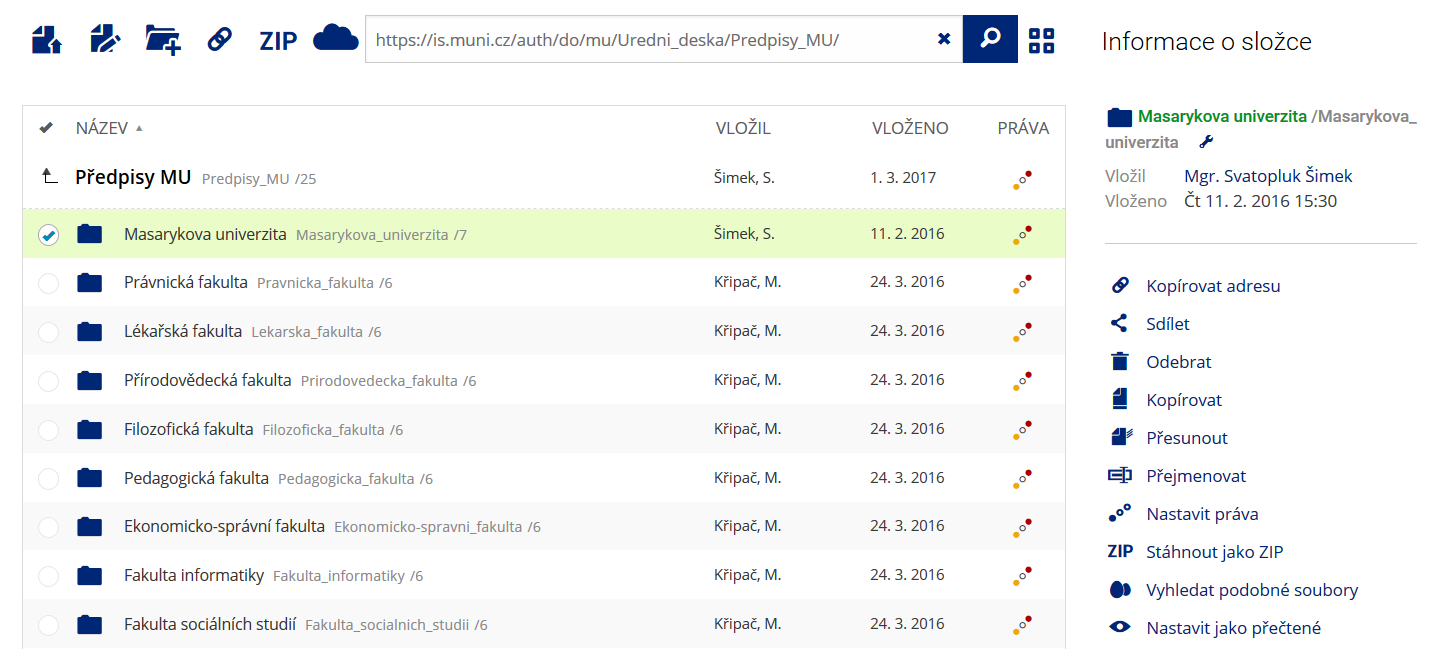 Pro častou práci je možné zvolit režim Více možností.
 -
Vyhledávání souborů
 Vyhledávaný výraz můžete zadat přímo do adresního řádku.
 -
Rychlý přístup k souborům
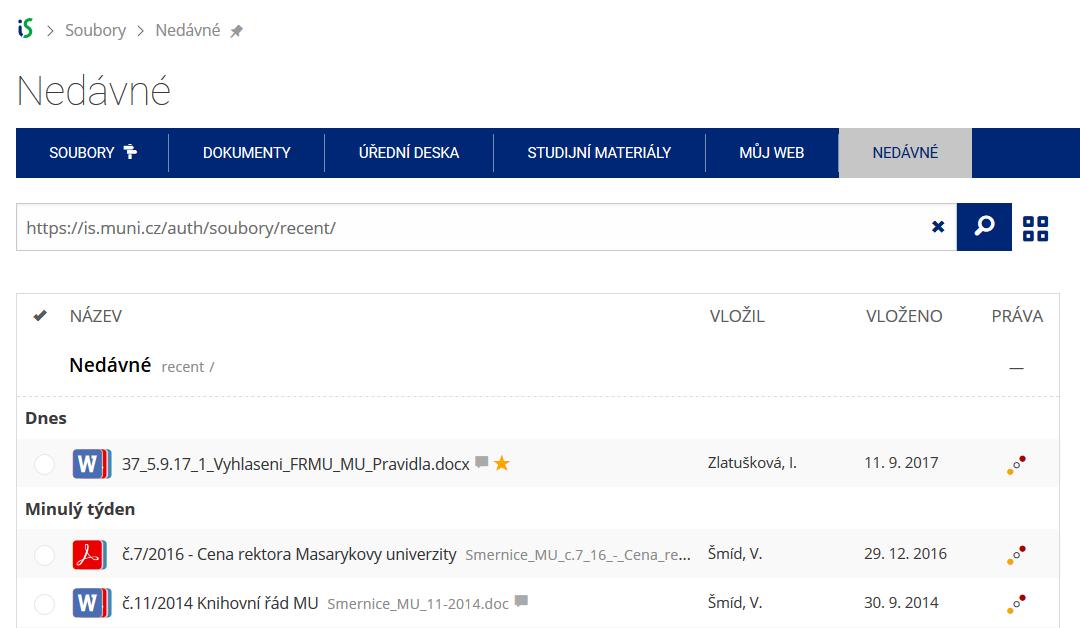 Pomocí funkce Nedávné je možné se rychle vrátit k právě prohlíženým souborům. Oblíbené soubory je také možné označit Hvězdičkou.