Závěrečná práce: Filip Greš: Non-photorealistic Renderer in Vulkan
Bakalářská práce
Non-photorealistic Renderer in Vulkan
Anotace
Tato práce představuje engine pro nefotorealistické renderování (NPR) v reálném čase, napsaný v jazyce C++ s využitím API Vulkan. Engine integruje několik stylizovaných technik, včetně stínování Cel a Gooch, spolu s postprocesingovými efekty, jako je šrafování, dithering a simulace CRT efektu. Teoretická část zkoumá základní principy těchto technik a nastiňuje konkrétní výzvy při implementaci a úvahy …více
Abstract
This thesis presents a real-time non-photorealistic rendering (NPR) engine written in C++ using the Vulkan API. The engine integrates multiple stylized techniques, including Cel and Gooch shading, alongside post-processing effects such as hatching, dithering, and CRT effect simulation. The theoretical part examines the underlying principles of these techniques and outlines the specific implementation …více
Zadání práce
20. 12. 2025 15:29, RNDr. Jan Byška, Ph.D., učo 207879
 angličtina
Práce na příbuzné téma
Seznam prací, které mají shodná klíčová slova.
-
Simulace filmové kamery v reálném čase
Mgr. Jakub Křoupal, učo 173165 -
Vulkan-Based Educational Framework Extension
Bc. Jakub Skoupý -
Vulkan displej pre UltraGrid
Mgr. Martin Beľa -
Postprocessing 3D tisku v praktických činnostech na ZŠ
Mgr. Josef Šmíd -
Open Water Simulation in WebGPU
Bc. Michal Husár -
Unified Framework for Teaching Rendering Techniques
Ing. Peter Greguš -
Pokročilé efekty v knihovně OpenSceneGraph
Bc. Jaroslav Trtík, učo 72822 -
La relation entre l'image et le texte dans Délie de Maurice Scève (teze disertační práce)
PhDr. Ing. arch. Anežka Sedláková, Ph.D. et Ph.D., učo 42895
Složky
Soubory
-
Přidání souboru
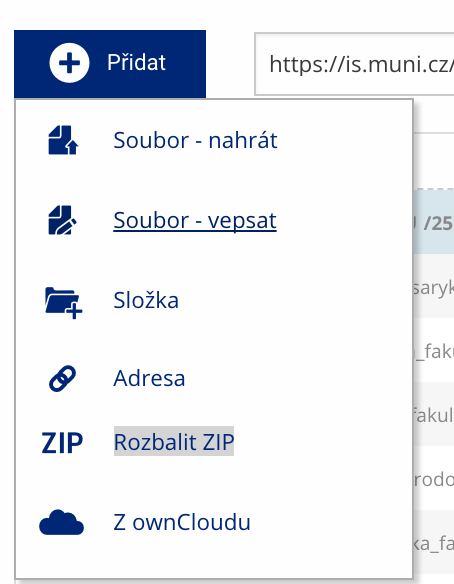 Soubor nebo složku lze nahrát pomocí tlačítka Přidat.
 -
Další operace se soubory
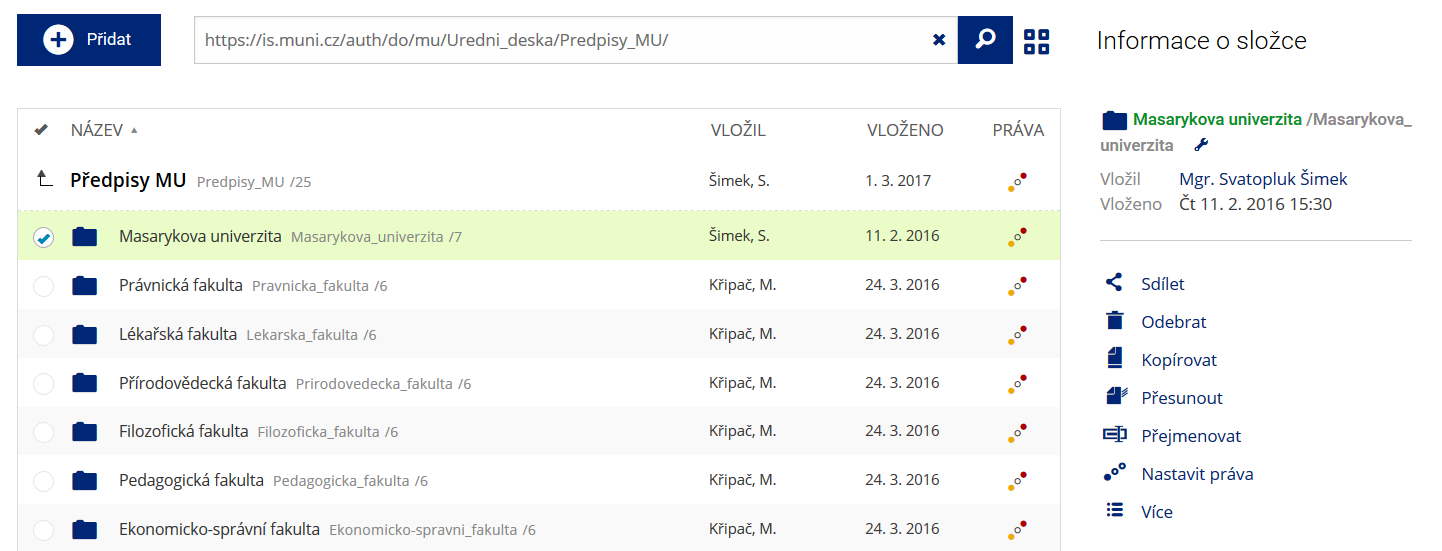 Podrobnosti lze zjistit označením příslušného řádku.
 -
Pohled pro experty
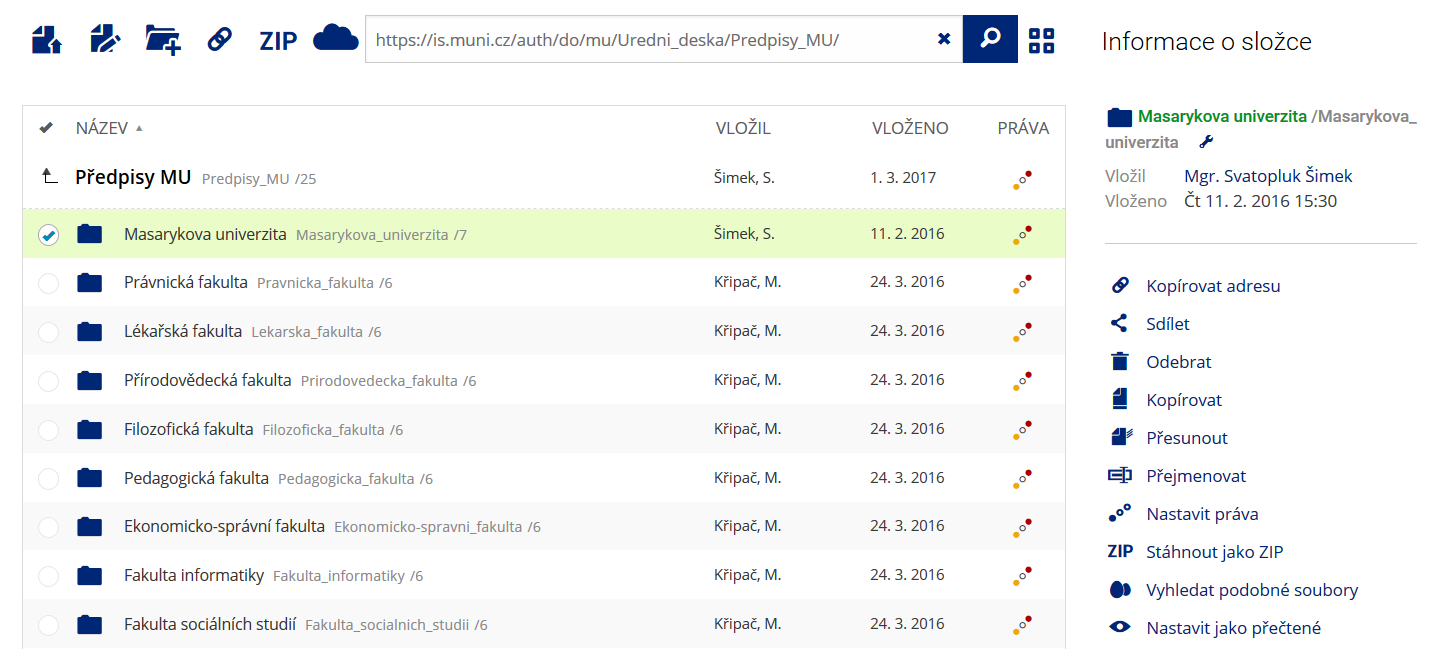 Pro častou práci je možné zvolit režim Více možností.
 -
Vyhledávání souborů
 Vyhledávaný výraz můžete zadat přímo do adresního řádku.
 -
Rychlý přístup k souborům
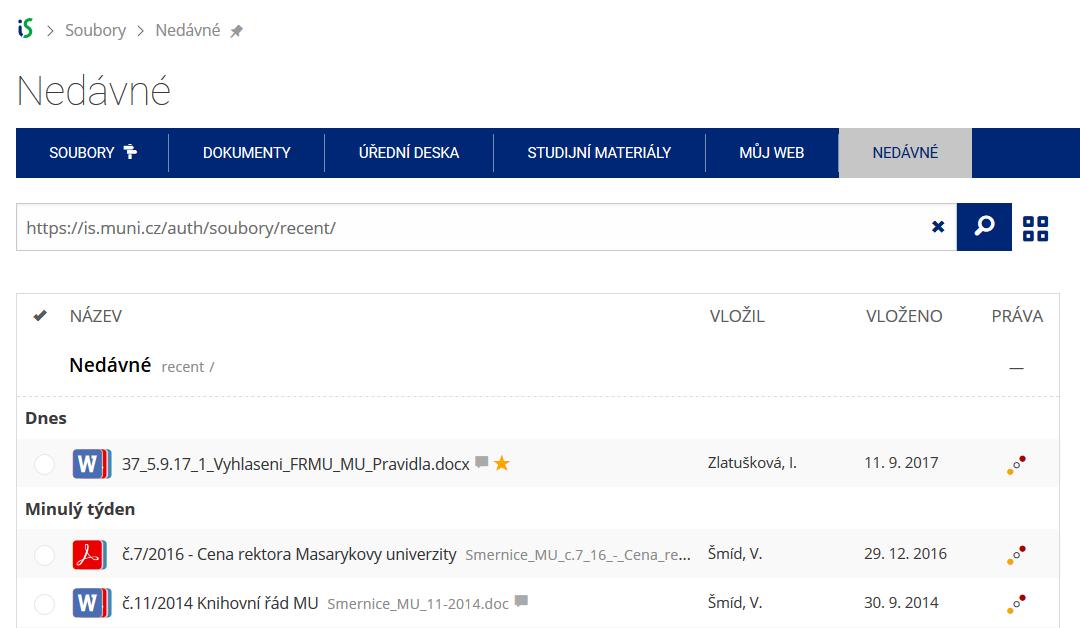 Pomocí funkce Nedávné je možné se rychle vrátit k právě prohlíženým souborům. Oblíbené soubory je také možné označit Hvězdičkou.