Závěrečná práce: Bc. Petra Rebrošová: gRPC layer for content delivery in Kentico Kontent
Diplomová práce
gRPC layer for content delivery in Kentico Kontent
Anotace
Remote Procedure Calls (RPCs) boli vždy neoddeliteľnou súčasťou komunikácie medzi zariadeniami. S prísľubom ešte úspornejších správ a ich rýchlejšieho prenosu prišla spoločnosť Google s gRPC protokolom - novým konceptom RPC. Kentico Kontent ako Content Management System (CMS) má možnosť profitovať z využitia gRPC protokolu vo svojom API na doručovanie obsahu. Táto práca sa zameriava na gRPC, analyzuje …více
Abstract
Throughout the entire history of machine-to-machine network communication, Remote Procedure Calls (RPCs) have played an inseparable part. The promise of even more efficient messages and faster transfer came with Google´s new concept of RPC, the gRPC protocol. Kentico Kontent, as a Content Management System (CMS), can benefit from the utilization of gRPC in its content delivery API. This thesis adapted …více
Zadání práce
- Describe Kentico Kontent capabilities and ways to deliver content.
- Describe gRPC and evaluate various aspects of gRPC such as performance, security, reliability, developer experience for different target channels - web, IoT, mobile, etc...
- Verify the viability and suitability of gRPC for omnichannel content delivery scenarios.
- Analyze the possible usage and design integration with Kentico Kontent.
- Build alternative content delivery endpoint for Kentico Kontent utilizing gRPC and a sample application consuming the endpoint.
- Measure the performance of the implemented solution and discuss further improvements.
19. 5. 2021 10:02, doc. Bruno Rossi, PhD, učo 232464
- Zadáno/změněno 24. 6. 2021 16:27, Helena Kryštofová
- Záznam založen 9. 12. 2020 08:49, Jana Zemanová, učo 9619
- Zveřejnit od 18. 5. 2021 12:09, Alena Dvořáková
- Práce převzata 18. 5. 2021 12:09, Alena Dvořáková
 angličtina
Práce na příbuzné téma
Seznam prací, které mají shodná klíčová slova.
-
Developing the guidelines for migration from RESTful microservices to gRPC
Mgr. Michal Štefanič -
Backend solution in the field of mental health care
Bc. Martin Oliver Pitoňák -
CI/CD Integration of OpenAPI in Microservice Architectures
Bc. Jakub Filo -
Aplikace pro prezentování multimediálního obsahu na TV
Mgr. Marián Varaga -
Integrace e-shopového řešení a ERP systému
Ing. Mgr. Miroslav Kubus -
Návrh a implementace modulu do Salesforce CRM
Mgr. Jakub Hančin -
Analýza a implementace systému správy obsahu pro malé a střední webové portály
Mgr. Milan Šůstek -
Service-oriented architecture versioning analysis and application in corporate environment.
Mgr. Ivana Haraslínová
Složky
Soubory
-
Přidání souboru
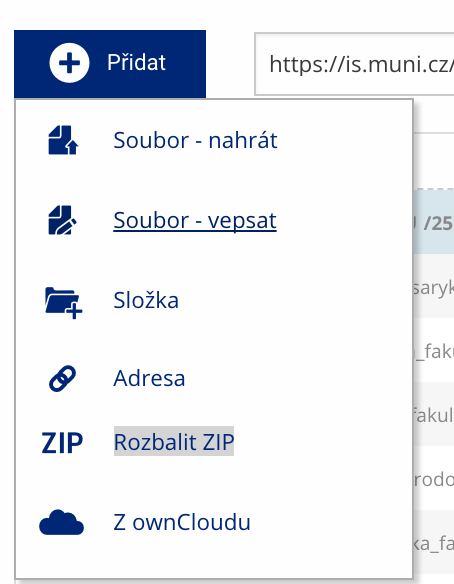 Soubor nebo složku lze nahrát pomocí tlačítka Přidat.
 -
Další operace se soubory
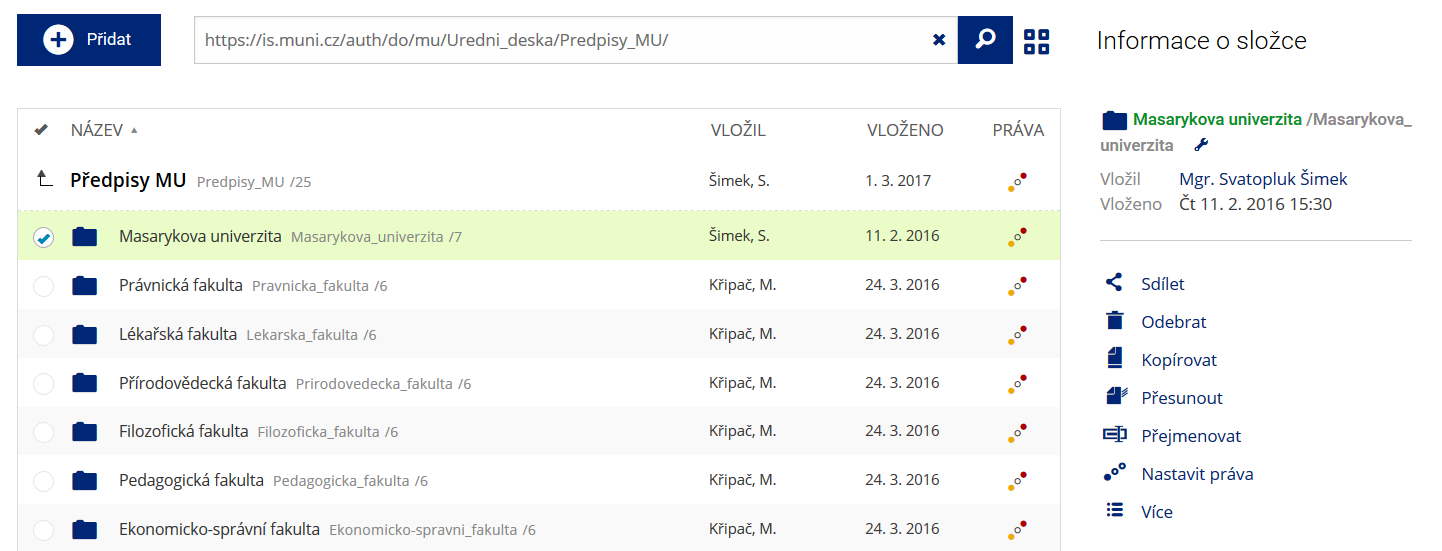 Podrobnosti lze zjistit označením příslušného řádku.
 -
Pohled pro experty
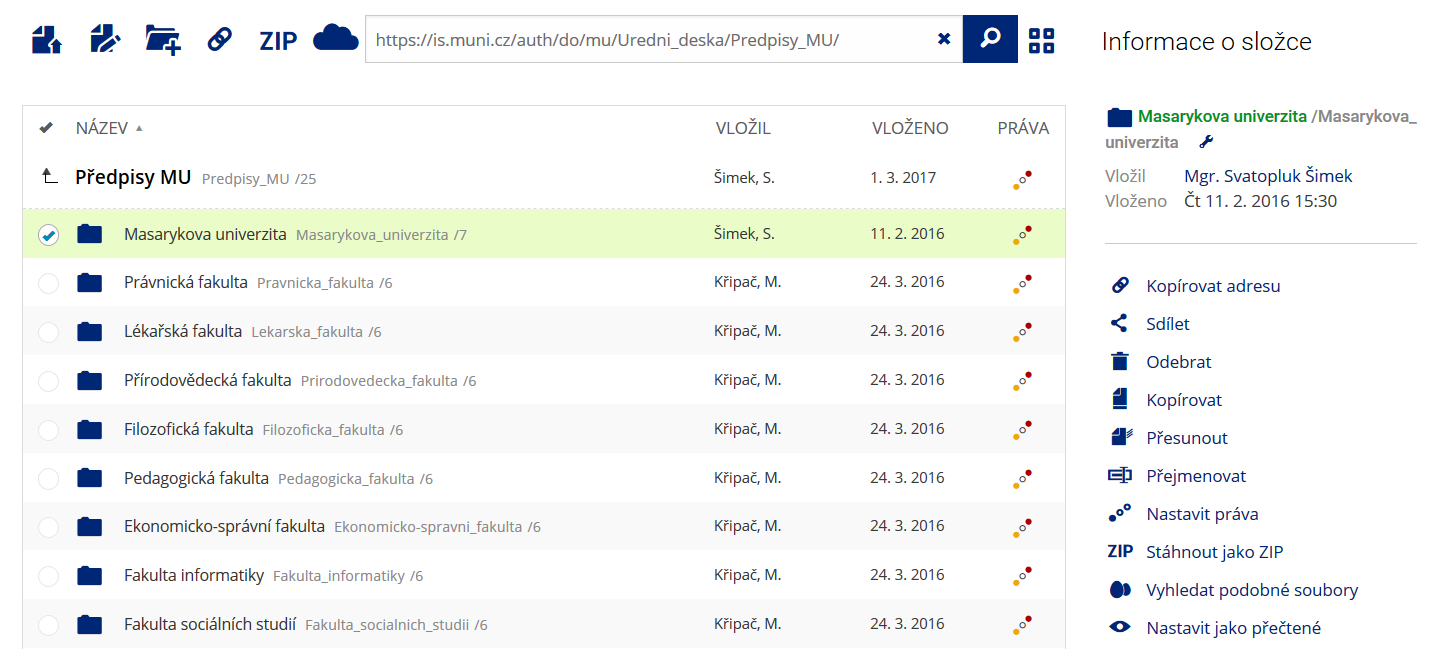 Pro častou práci je možné zvolit režim Více možností.
 -
Vyhledávání souborů
 Vyhledávaný výraz můžete zadat přímo do adresního řádku.
 -
Rychlý přístup k souborům
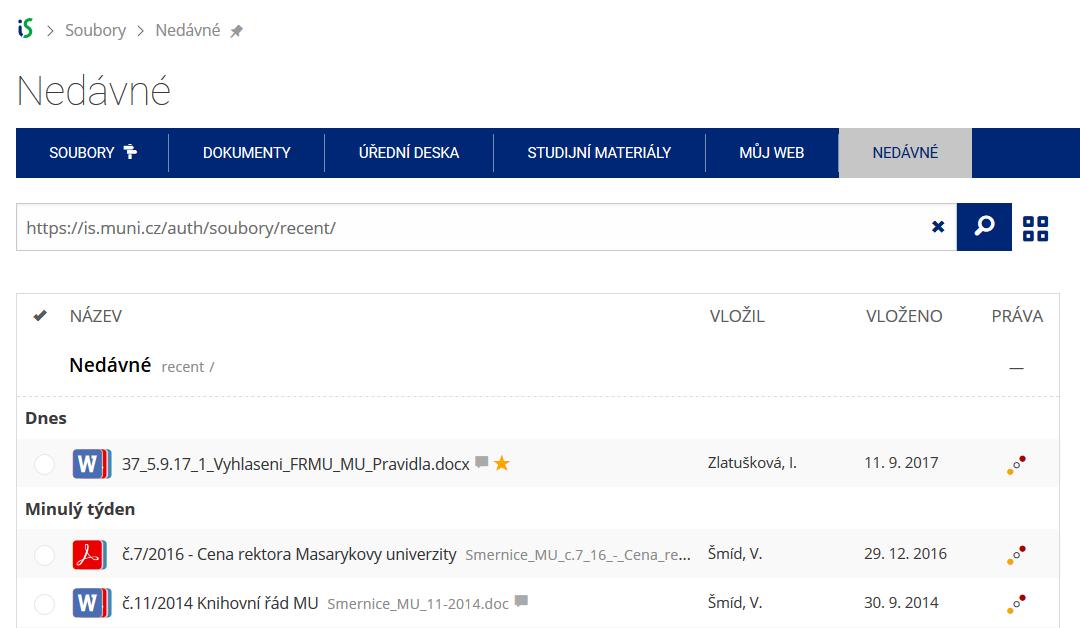 Pomocí funkce Nedávné je možné se rychle vrátit k právě prohlíženým souborům. Oblíbené soubory je také možné označit Hvězdičkou.