Závěrečná práce: Matúš Šikyňa, učo 485591: Detection of Android Malware Using Machine Learning
Bakalářská práce
Detection of Android Malware Using Machine Learning
Anotace
Nielen počet používateľov smartfónov rastie, ale aj objem mobilného malvéru a zraniteľností, čo predstavuje bezpečnostnú hrozbu na viacerých úrovniach. Z toho dôvodu, softvérové spoločnosti a výrobcovia poskytujú aktualizácie systémov spolu s bezpečnostnými záplatami. Napriek snahe o poskytovanie pravidelných aktualizácií pre ochranu používateľov, zariadenia často ostanú nezaplátané po dlhú dobu. Ako …více
Abstract
The number of global smartphone users is growing, while the volume of mobile malware and vulnerabilities increases as well, which pose a security threat on multiple levels. Therefore, software companies and manufacturers provide updates of the systems along with security patches. Despite the endeavour to provide regular updates to protect the users, the devices are often left unpatched for long periods …více
Zadání práce
The goal of the work is to design and implement a system for the detection of malware on the Android platform.
In the theoretical part, the student will analyze and report techniques of Android malware detection with a focus on machine-learning-based methods. Subsequently, the student will outline approaches to machine learning inference on mobile devices and describe used frameworks and SDKs.
In the practical part, the student will create a malware detection system using machine learning on suitable parameters obtained via static analysis of malignant and benign samples of Android APK packages. Moreover, the student will integrate the trained model into an Android application using one of the outlined frameworks or SDKs.
The thesis is solved in cooperation with the industrial partner Monet+.
26. 5. 2021 07:43, RNDr. Antonín Dufka, Ph.D.
 angličtina
Práce na příbuzné téma
Seznam prací, které mají shodná klíčová slova.
-
Clustering of Mobile Devices Based on Their Security State
Mgr. Dáša Pawlasová -
Labeling of Android malware with help of cryptographic API usage
Mgr. Dominik Macko -
Zabezpečení mobilních aplikací
Mgr. Ondřej Přikryl -
AI-based Anti-Patterns Detection in Java Software Enterprise Development
Ing. Martin Procházka -
Detecting user actions from encrypted traffic using machine learning
Mgr. et Mgr. Tomáš Babej, učo 396515 -
Modern techniques of malware detection and analysis in devices with Android OS
Mgr. Slavomíra Hunčárová -
Receipt database with OCR scan
Ing. Petr Janík, učo 485122 -
Softwarové zabezpečenie užívateľov proti mobilnému malware
Mgr. Jozef Tkáčik
Složky
Soubory
-
Přidání souboru
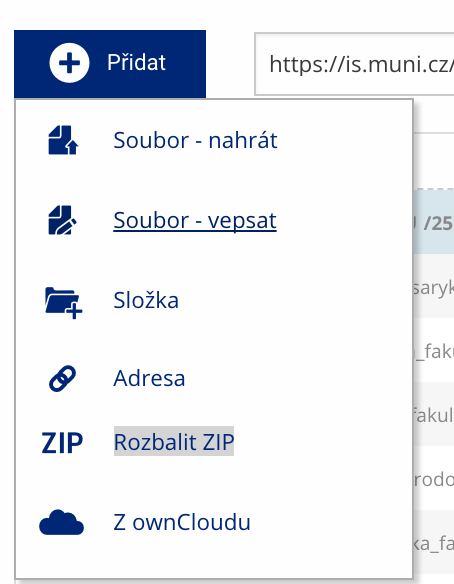 Soubor nebo složku lze nahrát pomocí tlačítka Přidat.
 -
Další operace se soubory
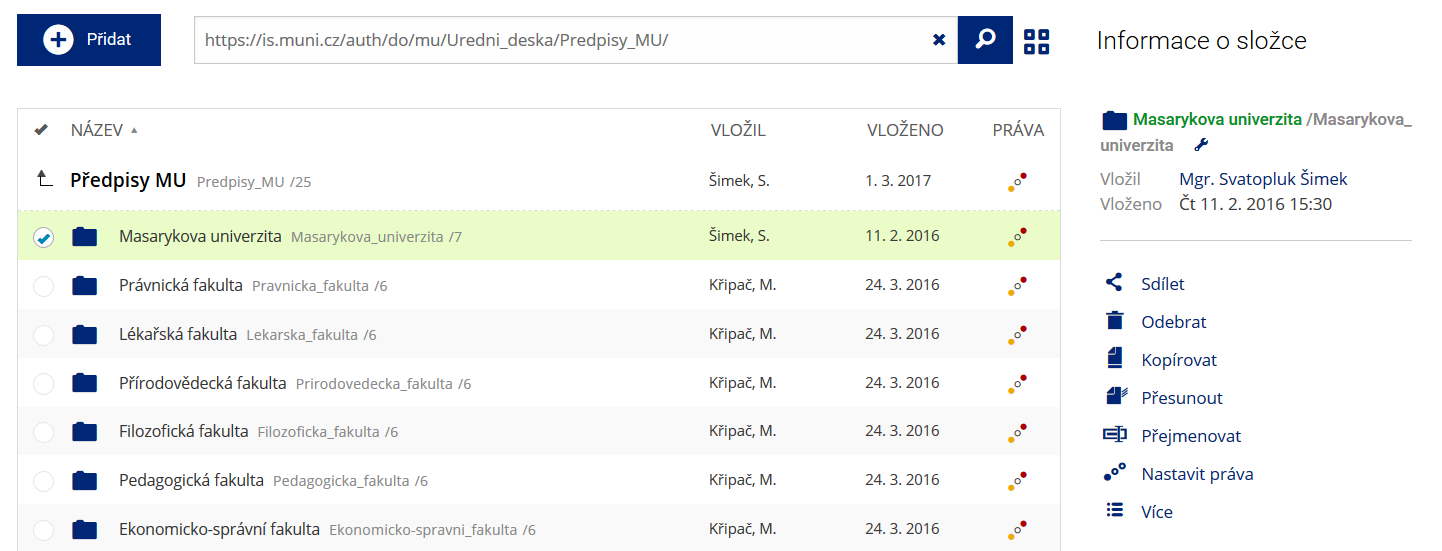 Podrobnosti lze zjistit označením příslušného řádku.
 -
Pohled pro experty
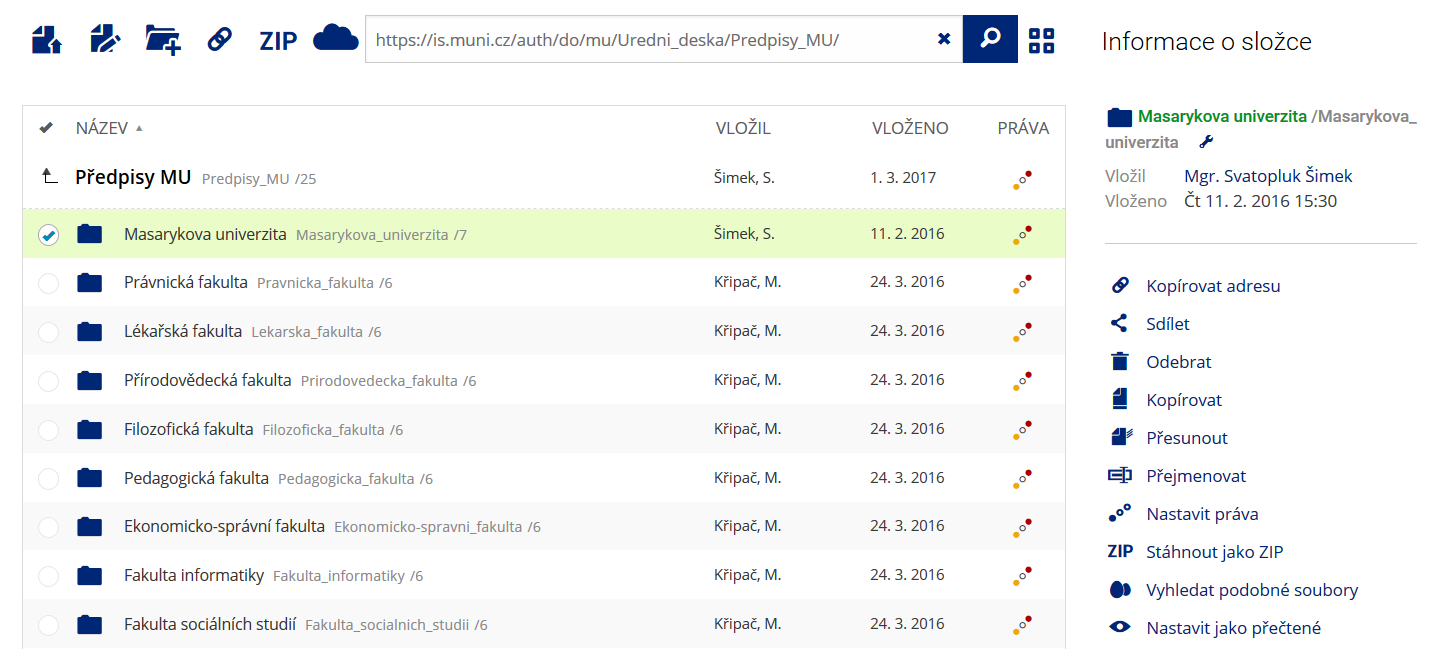 Pro častou práci je možné zvolit režim Více možností.
 -
Vyhledávání souborů
 Vyhledávaný výraz můžete zadat přímo do adresního řádku.
 -
Rychlý přístup k souborům
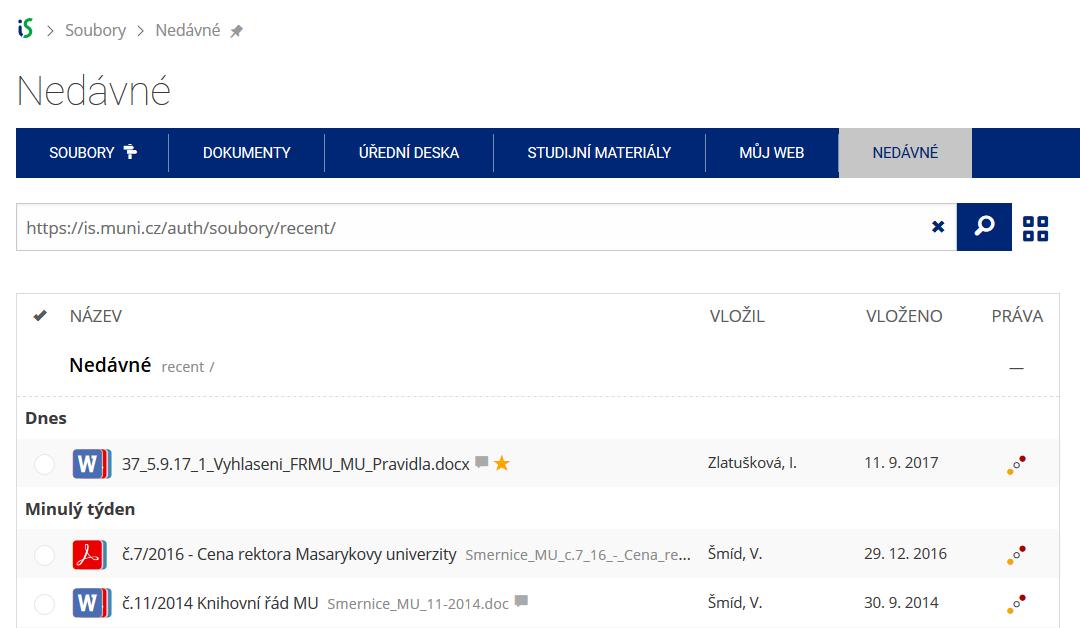 Pomocí funkce Nedávné je možné se rychle vrátit k právě prohlíženým souborům. Oblíbené soubory je také možné označit Hvězdičkou.