Závěrečná práce: Martin Macko: Single Camera Calibration Within Motion Capture Environment
Bakalářská práce
Single Camera Calibration Within Motion Capture Environment
Anotace
Táto práca sa zameriava na odhad polohy jednej RGB kamery v motion capture prostredí. Hlavnou motiváciou je extrahovať pózu kamery na účely vytvorenia referencie pre manuálnu úpravu motion capture animácií. To sa dosiahne navrhnutím metódy zberu kalibračných dát, ktorá funguje aj vtedy, keď je kamera mimo motion capture prostredia. Uvedená metóda sa potom vykoná a jej výsledky sa vyhodnotia. K tomu je vyvinutá jednoduchá aplikácia, ktorá implementuje túto metódu kalibrácie.
Abstract
This thesis focuses on the pose estimation of a single RGB camera within a motion capture environment. The primary motivation is to extract the camera pose for the purpose of creating a reference for manual editing of motion capture animations. This is done by proposing a method of collecting calibration data that works even when the camera is outside of the motion capture environment. Said method …více
Zadání práce
- Processing of RGB video.
- Processing of 3D data acquired by Motion Capture system.
- Based on these data sources, compute the position and orientation of the RGB camera in 3D space.
24. 5. 2024 22:44, Mgr. Jiří Chmelík, Ph.D., učo 60621
 angličtina
Práce na příbuzné téma
Seznam prací, které mají shodná klíčová slova.
-
Labeled Dataset of Speed Climbing Performances
Mgr. Veronika Škvarlová -
Measuring and Visualizing Similarities and Discrepancies in Speed Climbing Performances
Bc. Lucia Salaničová -
Detekce čar na vozovce pro platformu Android
Mgr. Jakub Medvecký-Heretik, učo 396373 -
Explanaible AI in Digital Pathology
Mgr. Matej Gallo, Ph.D. -
Prevod veľkých obrazov z Carl Zeiss formátu do formátu VIPS
RNDr. Viktória Jurič Spišaková -
Detekce objektů v průmyslových datových množinách
Mgr. Hai Duong Tran -
Metody vysvětlitelnosti chování neuronových sítí
Mgr. Vojtěch Krajňanský -
Quality Control of Histopathology Whole Slide Images: Detection of Tissue Folding and Tearing
Bc. Erik Sedlák
Složky
Soubory
-
Přidání souboru
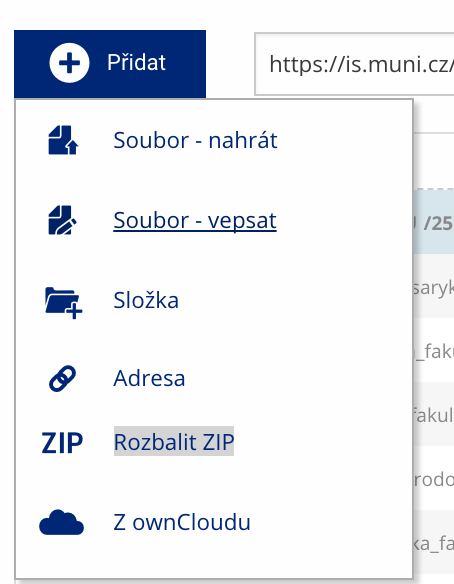 Soubor nebo složku lze nahrát pomocí tlačítka Přidat.
 -
Další operace se soubory
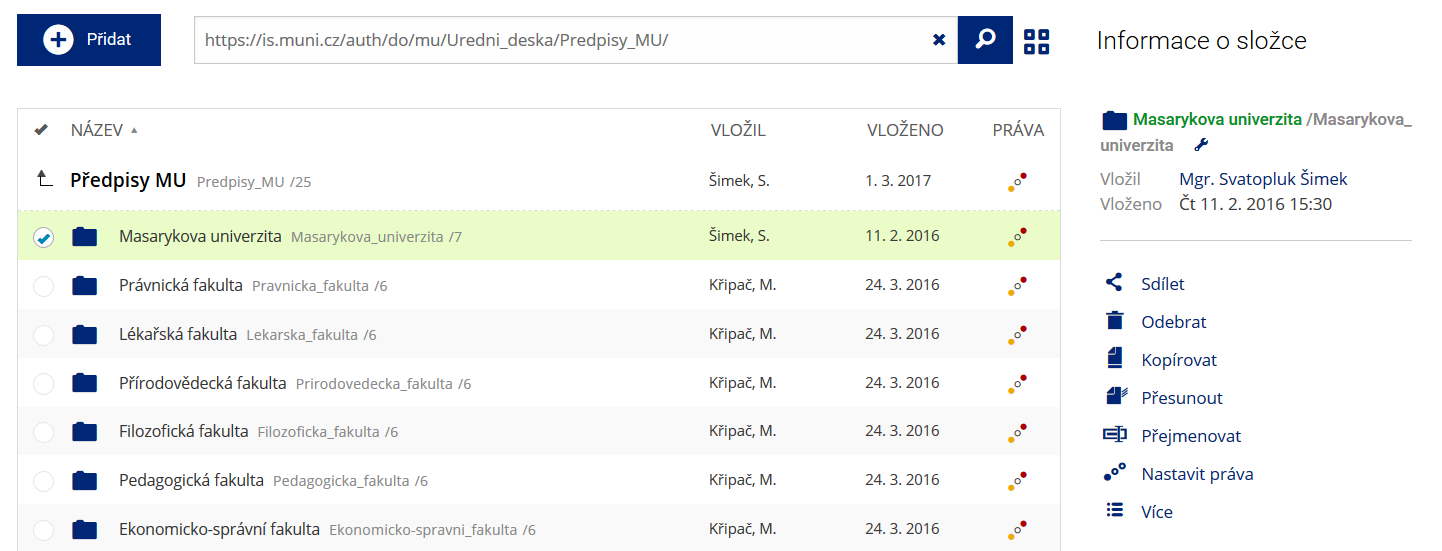 Podrobnosti lze zjistit označením příslušného řádku.
 -
Pohled pro experty
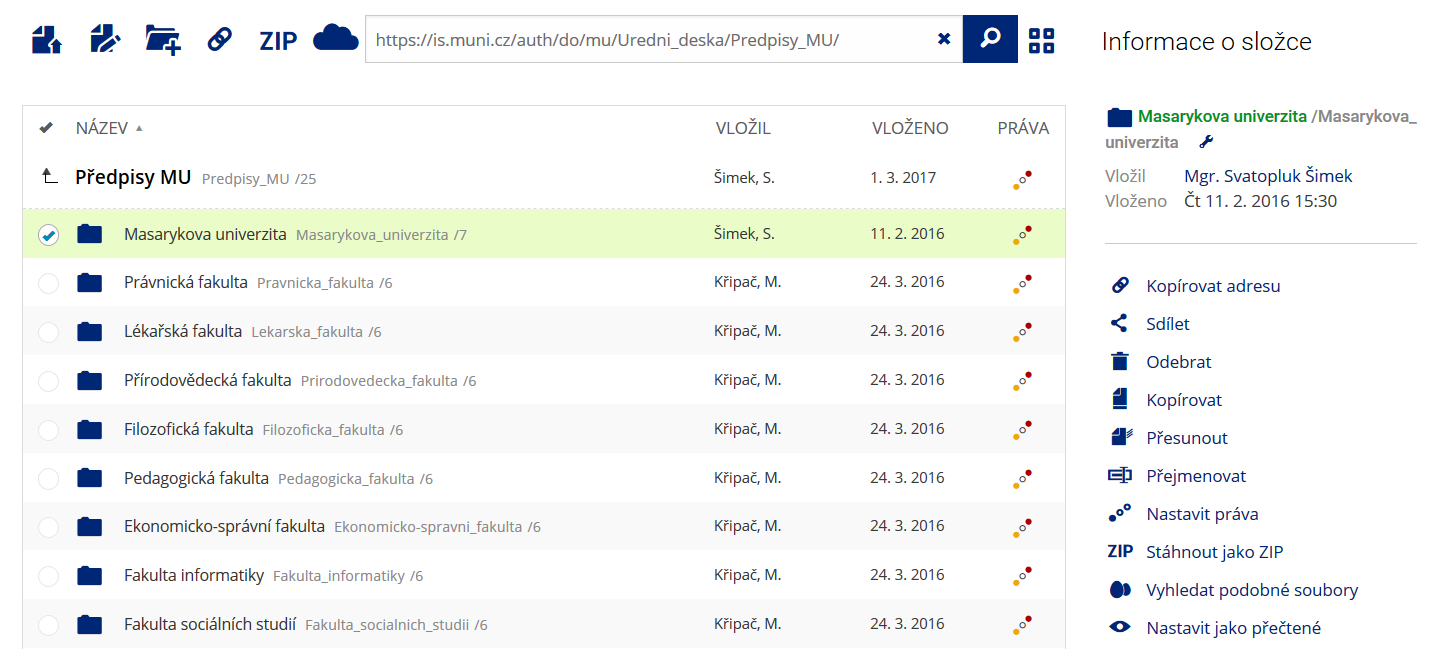 Pro častou práci je možné zvolit režim Více možností.
 -
Vyhledávání souborů
 Vyhledávaný výraz můžete zadat přímo do adresního řádku.
 -
Rychlý přístup k souborům
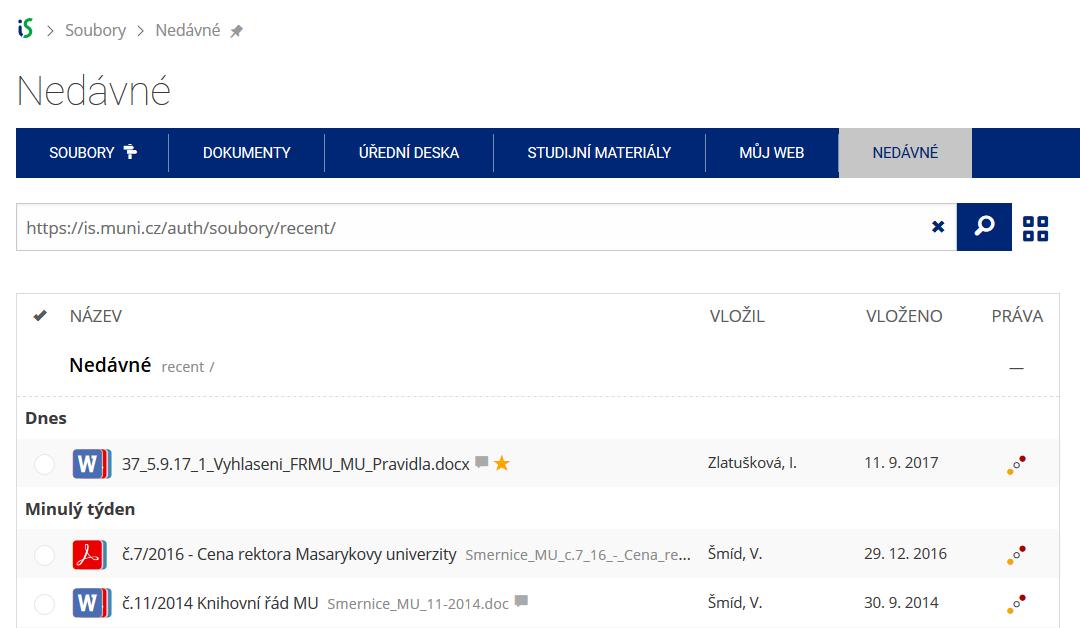 Pomocí funkce Nedávné je možné se rychle vrátit k právě prohlíženým souborům. Oblíbené soubory je také možné označit Hvězdičkou.