Thesis/Dissertation: Samuel Bílek: VisualUV: Blender add-on for UV Mapping workflow
Bachelor's thesis
VisualUV: Blender add-on for UV Mapping workflow
Abstract
Blender se každým rokem těší stále větší popularitě, stále mu však chybí některá funkcionalita, kterou většina známých aplikací na 3D modelování běžně nabízí. Jedno z odvětvích, ve kterých Blender zaostává za konkurencí, je vizualizace chyb při UV mappingu. Hlavním výsledkem této práce je Blender add-on VisualUV na vizualizaci chyb v UV mapách. Tato práce představí čtenářům nejčastější problémy při …more
Abstract
Blender grows its user base every year, but it still lacks some features that industry-standard applications for 3D modeling have had for a long time. One of the fields where Blender falls behind the competition is the visualization of UV mapping errors. The primary outcome of this thesis is the VisualUV add-on for visualizing UV mapping errors in Blender. This thesis introduces readers to the most …more
Thesis description
22/5/2023 14:41, RNDr. Filip Opálený, UČO 422627
Attachments
 English
Theses on a related topic
List of theses with an identical keyword.
-
Analysis and Visualization of Events from Cybersecurity Training
Ing. Petr Wehrenberg -
Chromatin Visualization in Jupyter Notebook and VR
Mgr. Martin Beľa -
Selected physics and mathematics problems in programming education
Ing. Radim Dvořák, Ph.D. -
Usage of the optical tracking in a game engine
Bc. Pavel Křupala -
Python Language Bindings for 3D Airspace Visualization
Mgr. Tomáš Králíček -
Application for routesetting on the Blender platform
Bc. Vojtěch Kovářík -
Education of 3D graphics at primary school
Mgr. Petr Šavelka -
Comparison of physics simulations in computer graphics field
Mgr. Libor Materna
Folders
Files
-
Přidání souboru
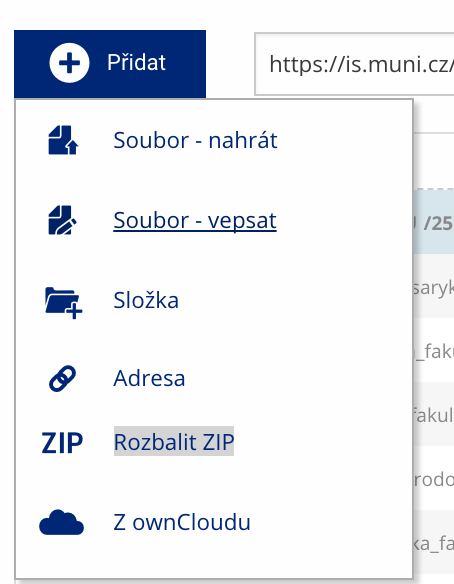 Soubor nebo složku lze nahrát pomocí tlačítka Přidat.
 -
Další operace se soubory
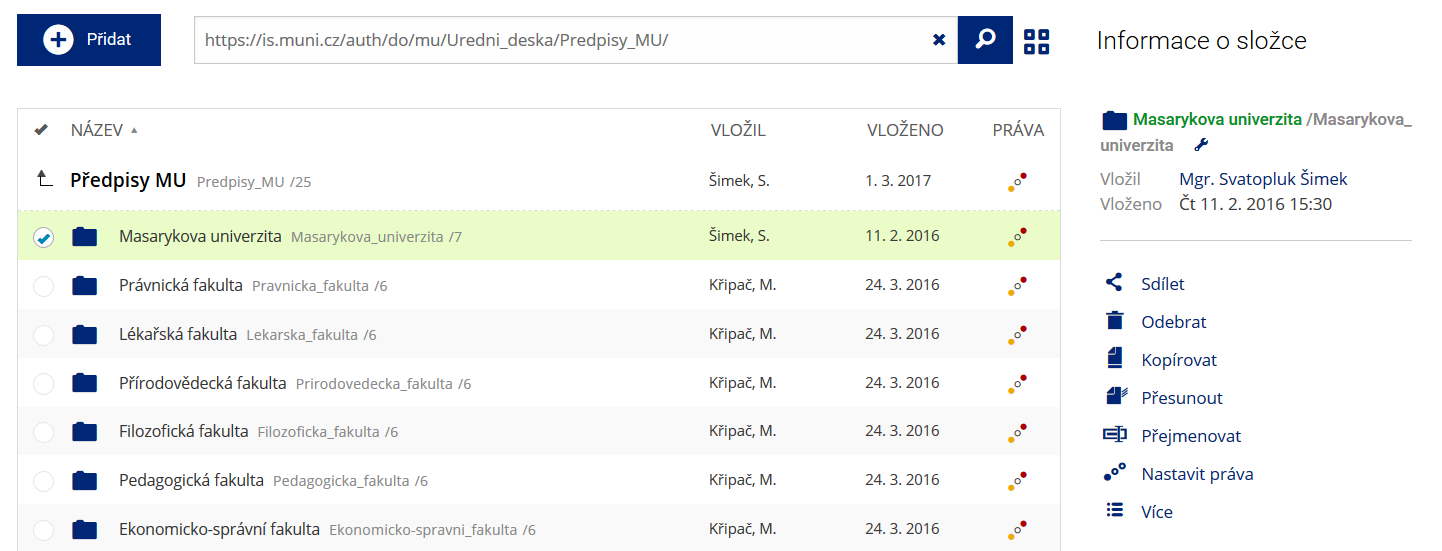 Podrobnosti lze zjistit označením příslušného řádku.
 -
Pohled pro experty
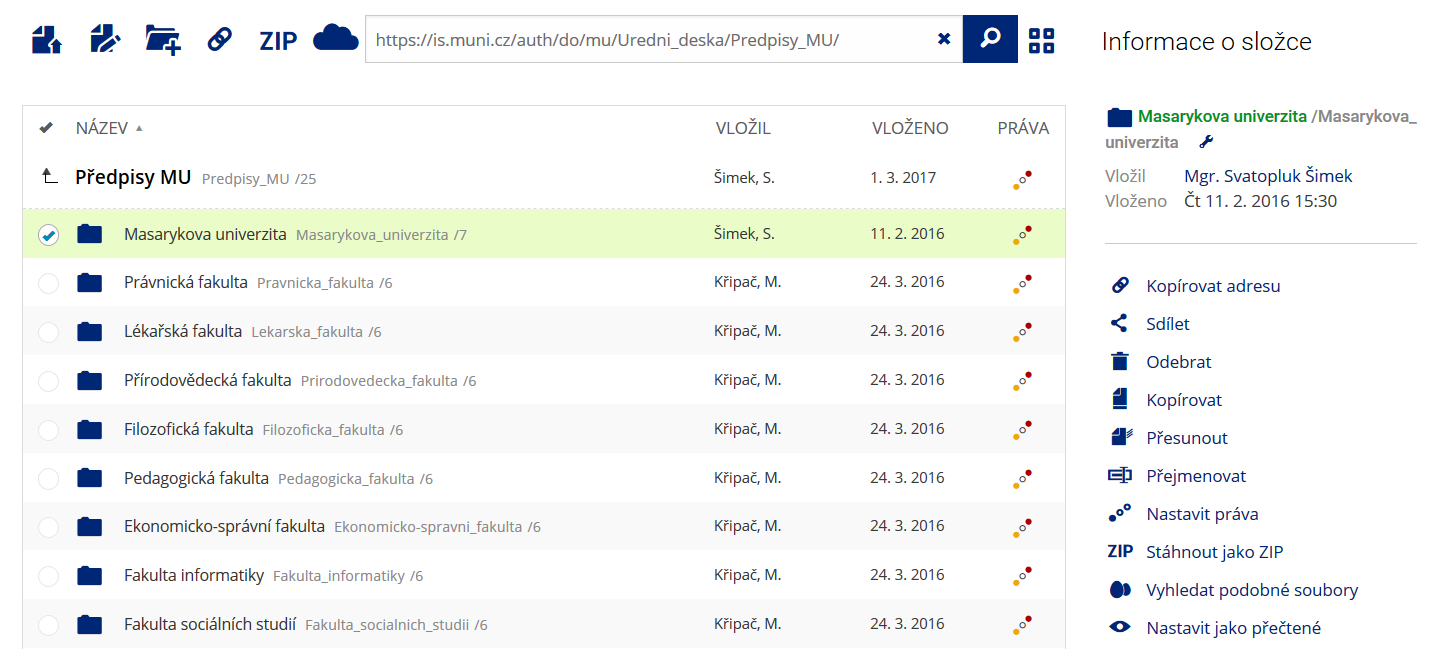 Pro častou práci je možné zvolit režim Více možností.
 -
Vyhledávání souborů
 Vyhledávaný výraz můžete zadat přímo do adresního řádku.
 -
Rychlý přístup k souborům
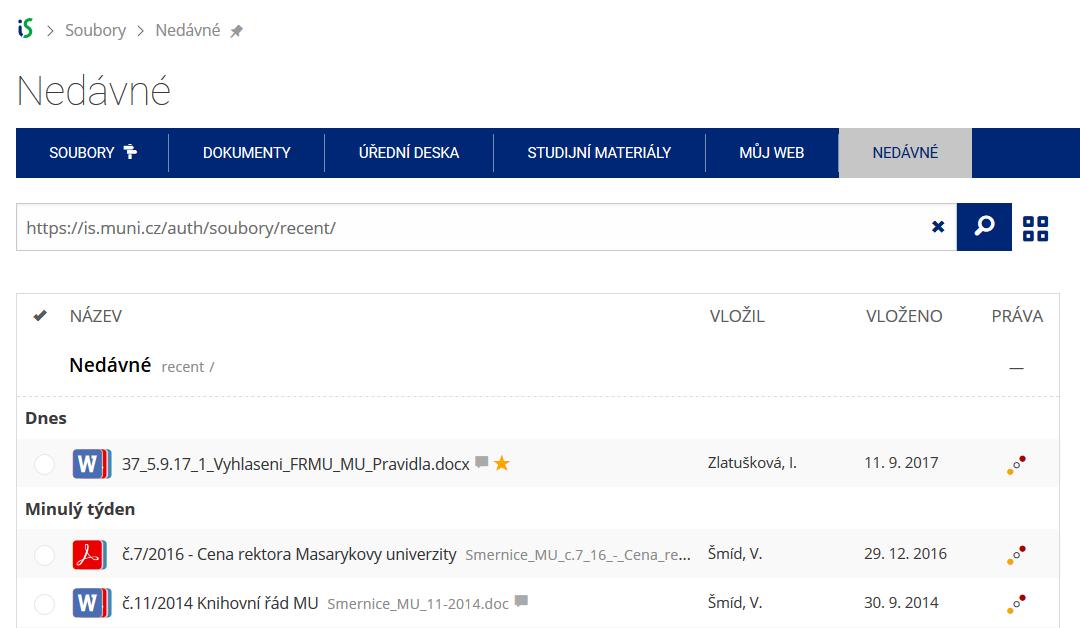 Pomocí funkce Nedávné je možné se rychle vrátit k právě prohlíženým souborům. Oblíbené soubory je také možné označit Hvězdičkou.