Thesis/Dissertation: Michal Husár: Open Water Simulation in WebGPU
Bachelor's thesis
Open Water Simulation in WebGPU
Abstract
Tato práce představuje simulaci volné vodní hladiny v reálném čase implementovanou pomocí WebGPU. Simulace každý snímek generuje povrch oceánu vyhodnocením frekvenčního spektra inicializovaného modelem JONSWAP prostřednictvím inverzní rychlé Fourierovy transformace prováděné výhradně na GPU pomocí výpočetních shaderů. Výsledné výškové a posunovací pole je využito k vykreslení vodní hladiny se stínováním …more
Abstract
This thesis presents a real-time open water simulation implemented using WebGPU. The simulation generates an ocean surface each frame by evaluating a JONSWAP-initialized frequency spectrum via an in- verse fast Fourier transform executed entirely on the GPU through compute shaders. The resulting height and displacement field is used to render a water surface with Blinn-Phong shading, environment reflections …more
Thesis description
22/5/2026 13:06, RNDr. Jan Byška, Ph.D., UČO 207879
 English
Theses on a related topic
List of theses with an identical keyword.
-
Detection of epileptic microseizures
Mgr. Jan Buďa -
Overtones and the sound of an electric guitar
Mgr. Mikuláš Vašek -
Multivariate kernel density estimations
Mgr. Ludmila Fikarová -
Arc-Based Vector Graphics Editor
Bc. Ondřej Tesáček -
Abstract Visualization of Chromatin Sructure
Mgr. Veronika Škvarlová -
Real-time rendering of volumetric cloud
Mgr. Bc. Juraj Pálenik, UČO 396277 -
Unified Framework for Teaching Rendering Techniques
Ing. Peter Greguš -
Interactive Molecular Surface Generation
Mgr. Hugo Adamove
Folders
Files
-
Přidání souboru
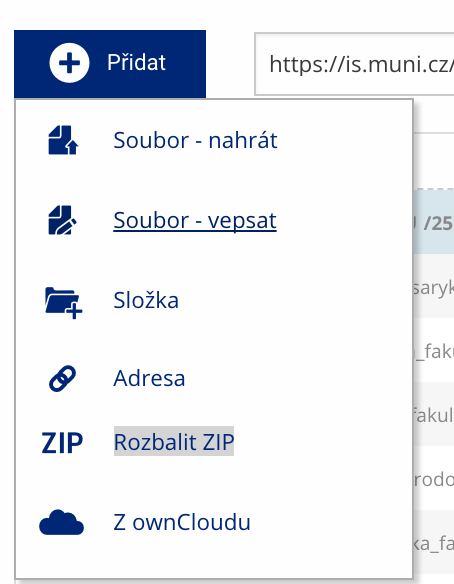 Soubor nebo složku lze nahrát pomocí tlačítka Přidat.
 -
Další operace se soubory
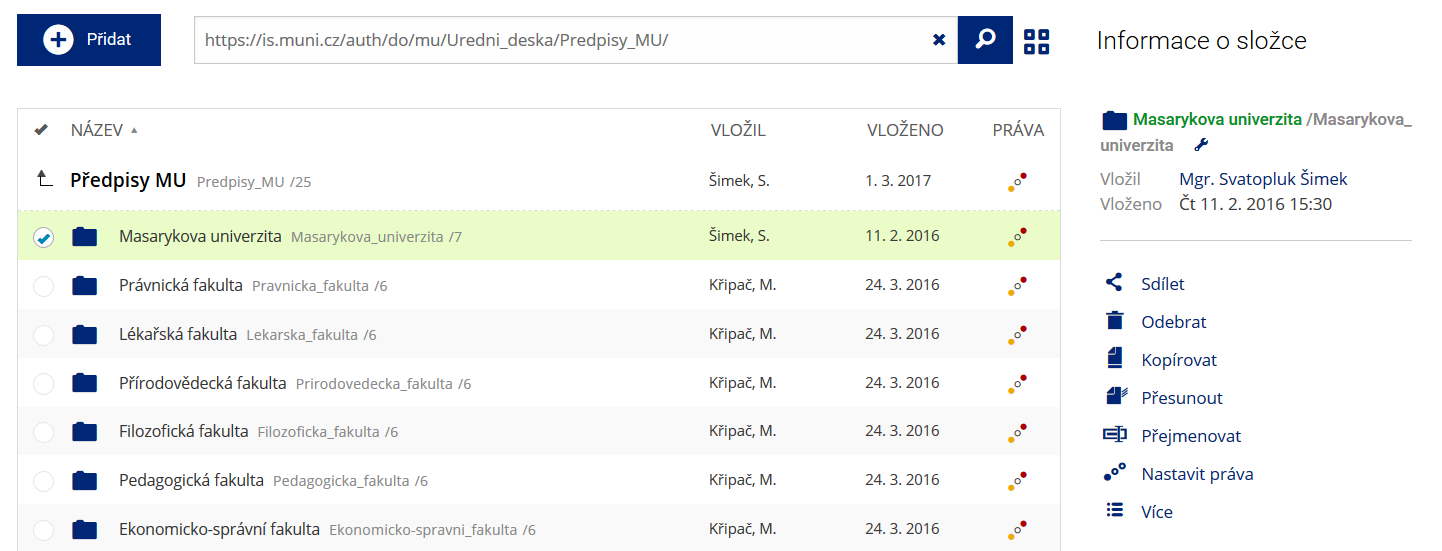 Podrobnosti lze zjistit označením příslušného řádku.
 -
Pohled pro experty
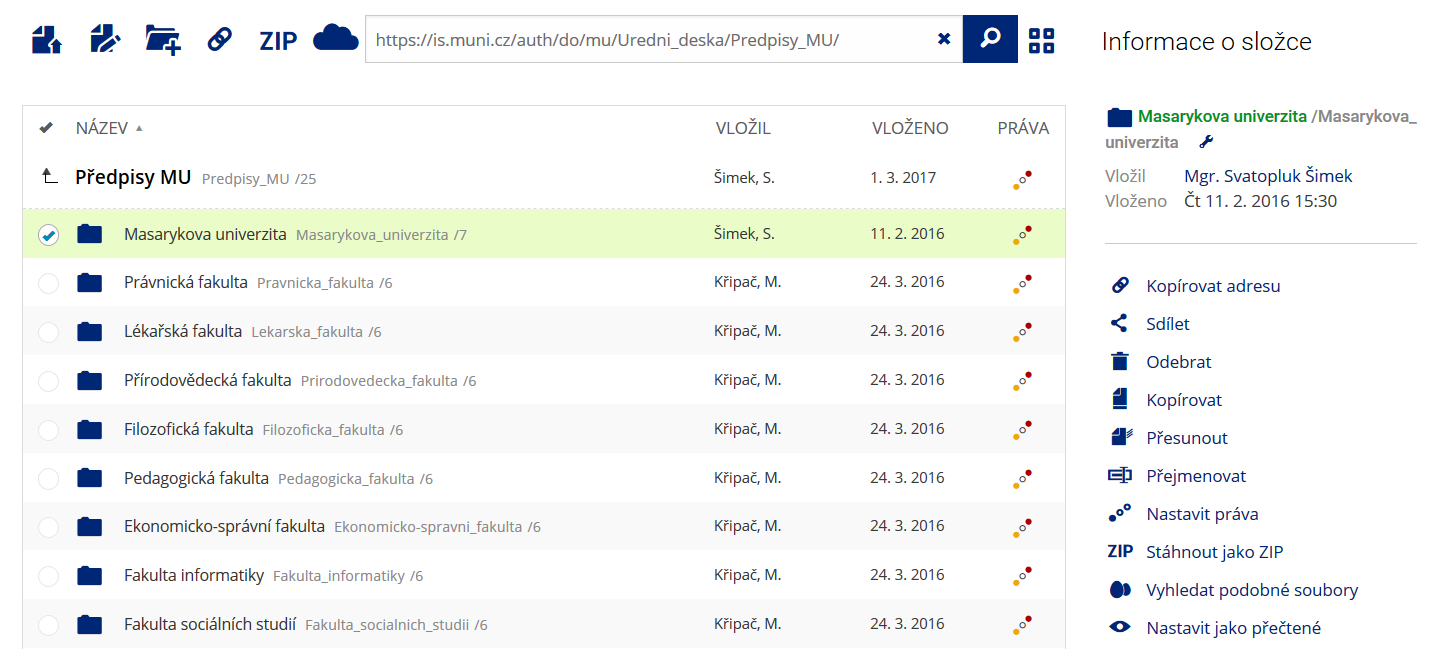 Pro častou práci je možné zvolit režim Více možností.
 -
Vyhledávání souborů
 Vyhledávaný výraz můžete zadat přímo do adresního řádku.
 -
Rychlý přístup k souborům
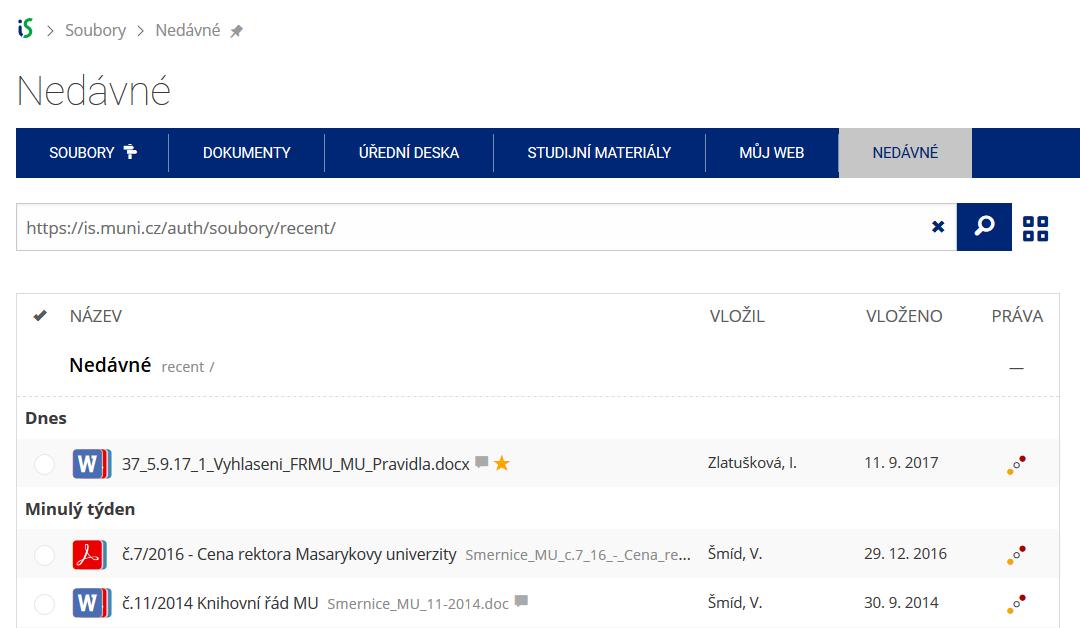 Pomocí funkce Nedávné je možné se rychle vrátit k právě prohlíženým souborům. Oblíbené soubory je také možné označit Hvězdičkou.